Apps Like FlipStudy Index Cards for iPhone and iPad
Flip through flashcards with gestures
Create and review flashcards with swipe gestures to flip . Draw notes freely with finger or Apple Pencil. Hold to flip card over. Shake for random card. Swipe down to cancel or up to delete.
by A2DWebs★ 3.342 ratingsProductivityFreeData updated 2026-09-10
Create and learn with image, formula, and table support. Use the Leitner algorithm for spaced repetition. Study by status, sorted or shuffled, and evaluate answers. Flip through cards and sync progress with .com.
Learn Japanese vocabulary essential for exams. Use interactive flashcards with flip animations, multiple quiz modes, and daily word practice. Save important terms to a favorites list.
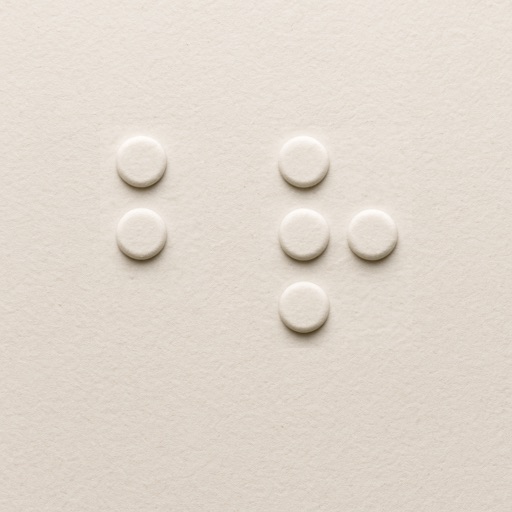
Learn using tactile-inspired flashcards. Explore all 26 letters with visual dot patterns. Flip through to test memory. Shuffle for varied practice. View high-contrast designs for clarity.
Read and annotate PDF and EPUB files. Create mind maps, flashcards, and study notes. Organize content with customizable tags and folders. Link annotations to build connections between ideas. Export notes and share directly.
Learn Chinese with flashcards covering levels 1 through 6. View simplified and traditional characters with pinyin and English definitions. Listen to word pronunciations, bookmark words, and add notes. Review flashcards for all levels or speed review.
Select a from a list. Add names via voice, typing, or Google Sheets. Update, rename, or delete custom lists. Swipe to navigate through entries. No ads or extra features.
The app uses spaced repetition and active recall to help users learn faster and remember longer. Users can create flashcards from notes, PDFs, images, and text, or study millions of expert-created flashcards for various subjects.
Syncs with apps to import events. Write directly on digital events using Apple . View daily, weekly, monthly, and yearly schedules. Add handwritten notes and reminders. Export plans as PDF or image. Sync across devices.
Create floor plans and layouts by drawing lines, rectangles, and shapes on up to 10 layers. Add text, arrows, and measurements. Export designs as PDF, JPEG, or DXF. Sync files via iCloud and transfer via DropBox.
Record daily notes on a single page with automatic organization. Flip through entries like a book with a smooth page-turning effect. Add text, images, and voice notes. Search and categorize entries for easy retrieval.
Create decks with flashcards containing images, text, and custom formatting. Study and memorize content through spaced repetition. Prepare for exams like SATs, ACTs, GRE, and NCLEX. Edit and organize flashcards for effective learning.
Learn uppercase and lowercase letters through interactive flashcards. Swipe left or right to flip , swipe up for correct answers, and swipe down for incorrect answers. View corresponding images and words on each card.
Crop and rotate images into various shapes. Add text, arrows, and shapes for annotations. Pixelate sections or draw freehand. Share edited photos directly with contacts.
Create and edit and drawings for home screen and lock screen widgets. Draw with Apple Pencil or finger, type with keyboard. Customize backgrounds, colors, fonts, and zoom for details. Combine text and drawings in one note. Share as images or text.
Practice note recognition with interactive flashcards and games. to play simple melodies like "Happy Birthday" and "Twinkle, Twinkle Little Star." Explore basic theory concepts. Collect stickers as you progress. No instrument required.