Apply visual effects to photos using finger controls. Adjust each effect with customization options. Use particle-based effects for dynamic results. Edit photos from camera or library. Save and share edited images.
by Pawel Delimata★ 4.7320 ratingsEntertainmentFreeData updated 2026-09-10
Fry the last frame of videos to upload to TikTok. Edit memes by frying images or GIFs from the photo library or Gfycat. Share finished memes to camera roll or via iMessage as stickers. Open created memes in TikTok and Snapchat.
Apply 20 high-quality filters to photos, including fruit, dessert, milk, and galaxy themes. Edit images with intuitive touch controls. Share edited photos directly with friends.
Convert static images into dynamic videos with AI-powered animation and visual effects. Upload a photo to generate engaging content instantly. Edit clips, add music, and export for social media platforms like Instagram and TikTok.
The app allows users to paint original artworks and light effects using particle brushes. It provides tools to mix colors and gradients, create custom brushes, and paint over existing photos.
Edit photos by applying filters and adding effects. Choose from 11 types and adjust brush sizes for detailed application. Zoom and pan using two fingers, or draw with a single finger. Save and share edited photos directly.
The app transforms an iPhone into a vintage camera, applying original retro effects to photos. Users can import images, select from various filters, and share their creations.
Create depth maps from single camera images using AI. Adjust focus distance for realistic blur effects. Generate 3D photos with parallax to simulate depth. Apply depth of field and 3D effects to enhance visual depth.
HC MAKER - PHOTO LOGO BACKGROUND EDITOR APPS FOR FREE
Apply filters and share photos
Edit photos by importing or taking a picture, then applying curated filters designed by professional photographers. Save edited images and share them directly. Access a library of free images for inspiration.
Edit photos with cropping, formatting, and collage tools. Apply professional filters, frames, and backgrounds. Use the aging camera to preview future self. Add animated effects and secure vault for private content.
Edit videos by adding zoom effects using pinch or drag gestures. Cut or uncut unwanted sections with the scissors tool. Change aspect ratio and videos. Save and share edited videos directly.
Add , reindeer, sleighs, and Christmas trees to photos. Apply high-quality filter masks. Share edited images on social media or via email. Edit and customize holiday photos with multiple overlays.
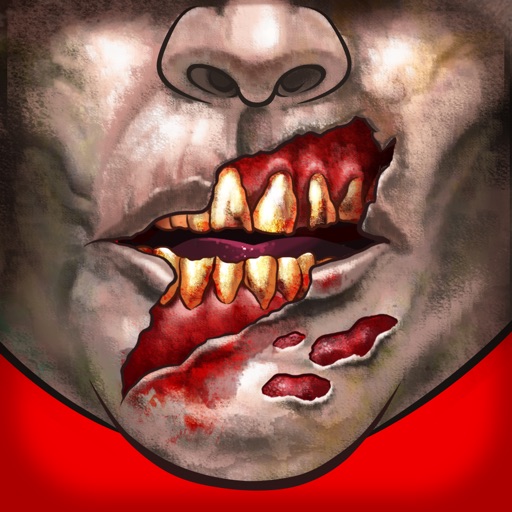
Customize faces with gruesome mouth and eye options. Add weapons like crossbow bolts and crowbars. Include creepy creatures for enhanced effects. Apply animated filters in real-time using augmented reality. Share transformed faces directly.
Record short clips and layer them to create datamosh effects. Adjust frame repetition settings for random or ordered playback. Save outputs as images or videos. Fade back to live camera input during data moshing.
Edit photos with 25 tools and effects. Adjust brightness, contrast, and saturation. Save progress and undo changes. Share edited photos to social networks. Preserve EXIF data and edit geo-location. Export high-resolution images up to 3000x3000.
Edit photos with facial retouching tools to remove blemishes and enhance skin tone. Add artistic filters and effects to selfies and portraits. Export edited images in high quality and share directly from the .
Apply AI-generated art filters to photos using style transfer technology. Adjust brightness, exposure, and temperature for fine-tuning. Save and share edited images directly.
Add vibrant color to specific image areas using the Color Splash Effect. Adjust intensity and placement. Export edited in various formats. Share directly from the .
Edit photos by adding borders, special effects, and text. Choose from over 200 HD . Select images from gallery or camera. Save and share customized Day photos with friends and family.
Edit photos using aesthetic filters and popular effects. Apply stylish templates and create rich collages. Enhance images with easy-to-use tools and share directly to social media.
Apply filters to create a VHS-style effect with tracking lines and a customizable date stamp. Edit videos and photos to simulate vintage quality. Adjust color, brightness, and contrast for enhanced visuals.