Take notes with two taps and customize their appearance. Adjust fonts, colors, and sizes to suit your preference. View notes on a single screen without dates, deadlines, or labels.
by Nicola Canali★ 4.414 ratingsProductivityFreeData updated 2026-09-10
Take notes with text, images, and audio. Organize them into notebooks and custom layouts. Sync notes across devices. Secure notes with a passcode. Backup and restore data. Expand notes indefinitely with additional content.
Manage your schedule with a clean, clutter-free interface. Set custom background images and choose from 50 theme colors. Adjust font size in 10 levels and select font colors. Add 5 lock screen widgets or 6 home screen widgets for quick access.
Take instantly from the or Lock Screen. Add quick , memos, or to-dos with one tap. Save clipboard text automatically. Capture thoughts without unlocking the phone. Sync across devices. View and edit directly on the Lock Screen.
Create and customize tier lists with support for up to 2,000 tiles and 50 tiers per list. Add images via search, paste, drag-and-drop, camera, or photo gallery. Include multiple text labels on tiles. Export and share tier lists directly.
Set to trigger sound or vibration on Apple Watch. Sync with iPhone or create separate ones. Snooze by pressing Digital Crown or dismiss with side button. Customize alarm labels using dictation.
Customize appearance with color, , and background options. Select from gallery or take a photo for background. Choose key shapes and styles. Add sound effects and personalize layout.
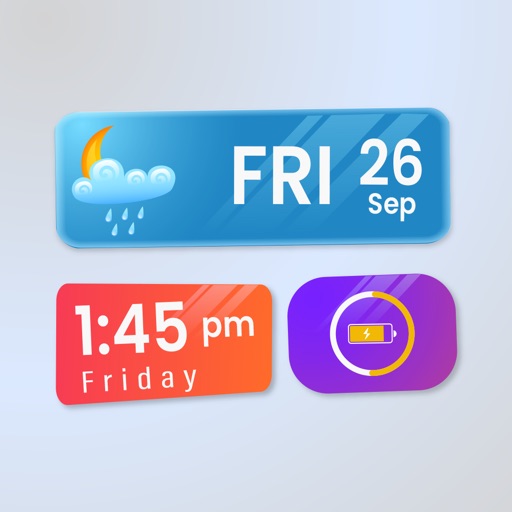
Widget King allows users to add dynamic to their home screen. Choose from sporty, racing car, cliff, bridge view, and aesthetic . come in three sizes. Users can customize and arrange on their iOS 14 home screen.
Take notes during gameplay with 90 FPS and 120 FPS support. Capture screenshots and screen recordings. Share notes and recordings directly. Sync notes across devices.
Counters can be created and customized with names and colors. Set increment values and choose layout options. Track multiple counters simultaneously. Large fonts ensure readability. No advertisements are included.
Display favorite photos in customizable albums. Add widgets of different sizes to the home screen. Each shows photos from a specific album. Set refresh intervals for each .
Create unlimited folders and notes. Customize font style and size. Flip in different directions. Read notes aloud. Count characters and words. Set deadlines and reminders. Use color coding and pin notes for quick access. Add widgets for easy access.
Track upcoming deadlines with a centralized event list. Add, edit, or delete events easily. Events are automatically sorted by deadline. Set reminders before expiration. Include notes for each event. View all events on a single page.
Manage tasks, to-do lists, reminders, calendars, notes, and shopping lists in one . Sync data across iOS devices via iCloud. Take text, image, and voice notes. Organize and capture information efficiently.
Create and edit with custom colors, fonts, and sizes. Record tasks, to-do lists, study plans, and shopping lists. Set as home screen widgets or lock screen. Add unlimited widgets.
Set alarms with customizable for the icon, , and interface. Choose multiple tones and preset volumes. Lock alarms to prevent silencing. Add personalized music to sounds. Adjust for the and interface.
Customize keyboard appearance with fonts, themes, colors, and layouts. Change key colors and backgrounds. Access exclusive fonts and themes with a premium upgrade.
Convert spoken words to in over 120 languages using -to- technology. Edit notes with a editor that supports bidirectional writing. Use AI-powered features to enhance writing and organize ideas.