Manage home devices via UPB network. View and control device status remotely. Tap to switch devices on or off. Long tap to access device-specific controls. Adjust dimmable devices with sliders. Monitor system status in real time.
by Powerline Control Systems Inc.★ 4.52 ratingsUtilitiesFreeData updated 2026-09-10
Remote control allows managing home appliances from anywhere. Simultaneously control multiple devices through a single interface. Set timers for various functions. Share devices with family members with one tap. Connect devices quickly and easily.
The app provides customizable interfaces for security and automation panels. It allows for local and remote access, with optional modules for expanded functionality and custom iPad interfaces.
Manage and control smart home devices remotely. Adjust settings and schedules for individual devices. Share access with family members to customize preferences. Monitor device status and receive notifications.
Convert across 12 categories including area, currency, data, distance, temperature, and time. Swap by pressing a button on the keypad. View live currency updates for 155 world currencies every 15 minutes. Supports iPad Split View.
Browse Watch Faces and to customize Apple Watch. Access Keypad for message creation, Share location instantly, and view RSS feeds. Explore Watch Gallery for .
Manage security systems by activating communicators, configuring panels, and attaching sensors and keypads. Setup Z-Wave devices and TC2 cameras or doorbells. Create accounts and use the ProSeries Wizard for panel configuration.
Remote control allows managing home devices from anywhere. Simultaneously control multiple devices through a single interface. Set timers to automate various functions. Share devices with family members with one tap.
Configure client devices with unique identifiers and network settings. Automate firmware upgrades and device unlock during installation. Link devices to subscriber accounts for service provisioning. Sync with G2 Gateway for centralized management.
Configure and manage Ubiquiti ISP devices from one interface. Integrate devices into the controller. Setup devices using Bluetooth or management radio. Monitor network performance and adjust settings remotely.
Control lights and appliances through a mobile . Create and manage routines to automate device on/off settings. Install via WiFi without needing an additional gateway or hub. Monitor and adjust settings remotely.
Monitor mower status and receive push notifications. Control operation settings and schedule mowing. View battery level and error messages. via cellular or Bluetooth for remote management. Adjust mowing patterns and access maintenance alerts.
Connect to PCs and virtual apps securely. Access remote desktops from iOS or iPadOS devices. Run admin-provided applications and access 365, Azure Virtual Desktop, and Remote Desktop Services. Manage connections and settings directly on the device.
Set tempo with keypad or slide pendulum for 20 to 999 BPM. Choose time signatures from 2/1 up to 9/8. Adjust beat subdivisions. Start, stop, and reset the . Sync with Apple Health for workout tracking.
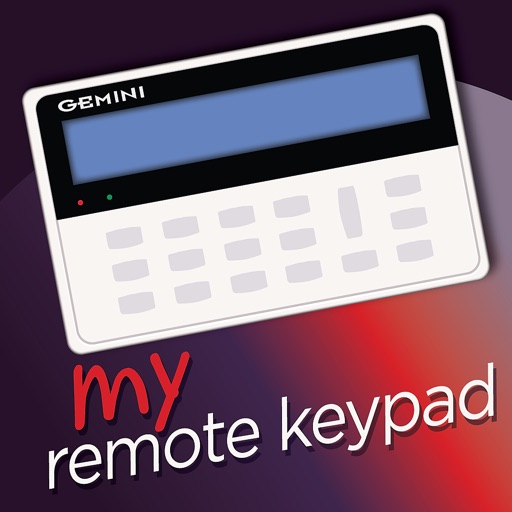
Access security keypads remotely using a user ID and password. View system status, arm or disarm devices, and receive alerts. Support for English, French, and Spanish language options.
Store and organize media with password protection and encryption. Create secure storage areas for images and videos. Use SnoopStopper™ and decoy safes to deter unauthorized access.