Apps Like Grid Post Pic Collage Maker for iPhone and iPad
Create posts from photos
Create and share photos in a unique format. Select from 50+ layouts. Automatically suggest image order for posting. Crop photos directly within the . Add videos to posts. Display full banner images on social media profiles.
by Shenzhen Qianhai Happy Tour Network Technology Co., Ltd.★ 4.57,022 ratingsGraphics & DesignFreeData updated 2026-09-10
Create artistic videos with mirror styles and filters. Add picture-in-picture collages using templates. Edit photos and videos with advanced tools. Access weekly updates with a subscription.
Create custom stickers with text templates and professional designs. Add personal messages to stickers. Share stickers with friends. Edit and customize appearance quickly.
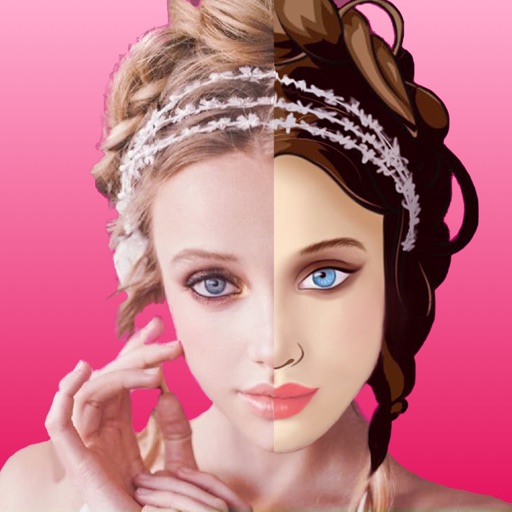
Convert photos to pencil sketches with adjustable effects including ink, outline, stony, charcoal, and cartoon styles. Support black and white and color pencil painting. Apply stylization, high contrast, and other advanced editing tools.
Create Photos from videos or gallery clips. Select and edit the key photo for the animation. Set as a dynamic wallpaper on iPhone 6s or newer. Adjust timing and effects for the motion.
Watch dramas and movies in high definition. Browse genres including contemporary and fantasy. Stream exclusive content inspired by novels. Update regularly with new releases. Save favorites and create a watchlist.
Create photos and videos without cropping. Select a photo or video, choose a background, and share directly. Edit frames and adjust settings before posting. Sync with Instagram profile for quick uploads.
Create collages by combining multiple photos into a single . Resize the , adjust rounded corners, change resolution, and modify the color. Rotate individual images within the . Premium plan offers additional features and auto-renewing subscriptions.
Download and install for design projects. Browse and select from over 400 across categories like handwritten, script, and bold. Use compatible with Design . Organize and manage font collections. Export for use in design apps.
Use filters to enhance photos and videos. Apply unique filters to selfies and share creations globally. Edit and save media with filter options. Create and share fun content with friends and family.
Edit photos by selecting two images from the library and comparing them. Adjust animation settings including repeats and duration. Customize video size and position of photos. Add music and save the video to Photos or share on Instagram.
Create collages by merging up to 20 photos with frames, stickers, and text. Adjust borders, add pattern backgrounds, and use shapes for flyers and posters. Share creations on Facebook, Instagram, and other social media.
Place 3D animated objects in real-world environments and record videos to share. Choose from wildlife, animals, dinosaurs, and other themed packs. Create and share scenes with others.
Create professional-grade artwork with advanced editing tools and a wide library of elements. Add text, shapes, and images. Customize colors and layouts. Export in various formats and share directly.
Edit photos by adjusting shape with a slider, protect background from distortions, remove unwanted objects with a swipe, blur specific elements, and automatically remove backgrounds. Access advanced features via a subscription.