Apps Like Grid Post Pic Collage Maker for iPhone and iPad
Create posts from photos
Create and share photos in a unique format. Select from 50+ layouts. Automatically suggest image order for posting. Crop photos directly within the . Add videos to posts. Display full banner images on social media profiles.
by Shenzhen Qianhai Happy Tour Network Technology Co., Ltd.★ 4.57,022 ratingsGraphics & DesignFreeData updated 2026-09-10
Create video panoramas from photos. Split images into tiles in various aspect ratios. Post sliced photos as multi-post carousels on Instagram. Adjust tile count up to 5 or 9 for layouts. Support all popular Instagram formats.
Create videos with 1000+ templates, motion stickers, text transitions, and font styles. Add music and export in various formats. Edit clips and customize with effects for channels.
Create and customize cards with adjustable attributes and artwork. Upload designs to share or trade. Access a library of templates and elements. Edit details and artwork directly within the .
Create photos without cropping. Edit images with filters, backgrounds, and layout adjustments. Make photo collages using hundreds of layouts. Share high-quality photos to social media platforms. Adjust ratios and add text for customization.
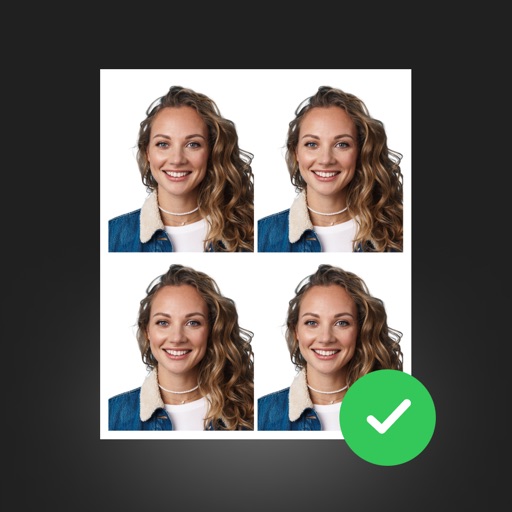
Create professional ID photos with AI tools. Automatically detect faces and remove backgrounds. Resize and crop portraits to fit official sizes. Support multiple countries' requirements. Generate printable -sized images for children and adults.
MONKEYS TEAM YAZILIM BILISIM DANISANLIGI SANAYI VE TICARET ANONIM SIRKETI
Add borders to your Instagram photos
Create profile pictures for Instagram by selecting photos from your library and applying borders. Preview and save customized images with available borders. Share the edited directly through Instagram.
Turn photos into cartoons using AI-powered effects. Pixelate images for pixel art styles. Remove and replace backgrounds instantly. Add rounded borders for profile pictures. Export edited photos in various formats.
Create dividers and 3x3 squares using images and text labels. Group photos into categories with custom titles. Apply over 100 fonts for text styling. Export and share edited layouts directly.
Add a to enhance images with dozens of beautiful and backgrounds. Choose from various background colors and filters. Adjust contrast, brightness, color temperature, sharpening, saturation, and color balance. Add text watermarks to photos.
Manage multimedia files across Google Drive, Dropbox, Box, and OneDrive. View and edit videos with full playback, playlist management, and trimming. Apply color filters, resize, and crop videos. Convert videos to audio formats like MP3 and M4A.
Create and customize albums with automatically generated milestone art and weekly stickers. Add time-lapse videos and daily customized questions. Use 1300+ default stickers and 100+ frames for -keeping. Automatically generate albums monthly.
Create photos and videos without cropping for social media. Adjust background with blur, patterns, gradients, and colors. Apply filters, effects, and add image stickers. Support various social media aspect ratios.
Edit photos by analyzing color schemes and applying beautiful palettes. Choose from various style variations like split circles or diamond canvases. Purchase packs or upgrade to Pro for additional features. Export edited images.
Design home screen icons with tools for editing, adding text, and applying filters. Choose from thousands of fonts, stickers, and images. Remove ads and access advanced features with a subscription.
Create photo collages with hundreds of predefined layouts and AI-powered face detection. Combine up to 10 photos in various aspect ratios. Edit images by dragging, scaling, rotating, and flipping. Apply effects and customize frame width and style.
Convert videos into Live Photos with editing tools for trimming and adjusting effects. Save creations to the photo library and share via social media or messaging apps. Premium subscribers get unlimited GIF saves and ad removal.