
Watch Notes - One, two, three!
Check urgent info on your wrist
iWare Inc.
iPhone Screenshots



Description
Access urgent information like train timetables and directly from Apple . View clipped text, images, and URLs from iPhone or extensions. Manage shopping lists, to-dos, flashcards, and favorite photos. Set reminders for important and websites.
Access to urgent information, such as train timetables or notes on your Apple Watch.
No need to look for your iPhone in your pocket or bag. You can just check it on your wrist.
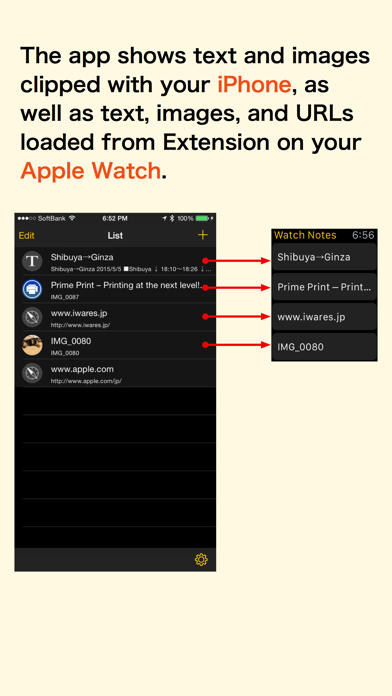
The app shows text and images clipped with your iPhone, as well as text, images, and URLs loaded from Extension on your Apple Watch.
◎ Usage
- Train route search and timetable
- Notes that you need to check urgently
- Shopping list
- ToDos
- Flashcards
- Notes that you shouldn't forget
- Favorite photo
- Website URLs that you'd like to recommend to someone
◎ Features
- Data is stored on your iPhone. Apple Watch has a simple control focused on viewing.
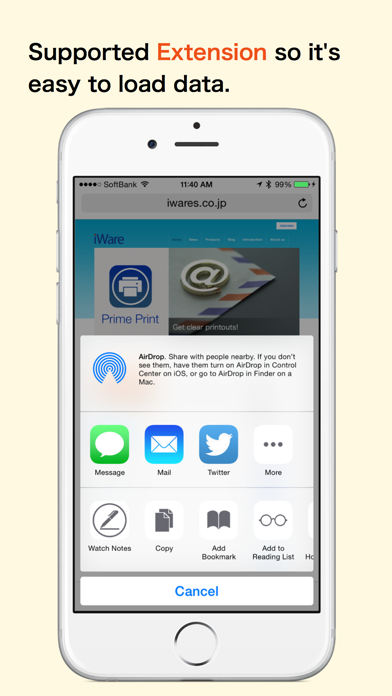
- Supported Extension so it's easy to load data.
Of course you are able to copy and paste.
- URLs are shown in a QR code on Apple Watch. Use the barcode scanning app on the iPhone to scan the code to open the website.
◎ Integrated with other apps!
By using a new Action Extension for iOS 8, the app can show the loaded data on Apple Watch.
•Images
•Safari
•iTunes... and so on
◎ Notes
The app can save and show up to 3 entries on Apple Watch.
However, you can get an unlimited number of entries through in-app purchases.