
Sign PDF: Scan & Fill Docs
Documents with your camera
Matteo Morelli
iPhone Screenshots


Description
Create and apply signatures to PDF documents. Capture signatures with a camera, generate them using font-based tools, or draw them directly. Save and share signed documents securely.
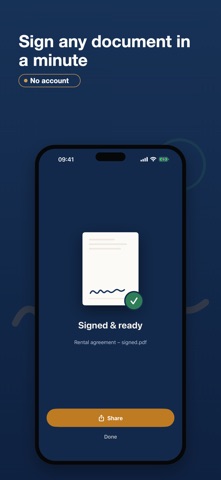
Sign a PDF and send it back in under a minute — without leaving your iPhone.
Sign PDF is the fast, private way to sign documents, fill forms and get paperwork done. Import a PDF, tap where to sign, and share the finished file. No account, no uploads, no waiting.
WHY YOU'LL LOVE IT
• Sign any PDF or document in seconds
• Everything happens on your device — nothing is ever uploaded
• Works completely offline
• No sign-up, no subscription required to get started
• Exports a clean, flattened PDF — never watermarked
SIGN YOUR WAY
• Draw your signature with a finger or Apple Pencil
• Snap a photo of your signature on paper — the background is removed automatically
• Type your name in a handwritten-style font
• Save multiple signatures and initials, then reuse them with one tap
FILL & COMPLETE
• Add free-form text boxes anywhere, with size and color control
• Quick Fields: save your name, company, email and address once, insert them instantly
• Date tool with auto-today and your preferred format
• Add checkmarks and X-marks to tick boxes
• Fill interactive form fields (AcroForm)
IMPORT FROM ANYWHERE
• Open PDFs straight from Mail, Files or iCloud Drive
• Scan paper documents with your camera
• Turn photos into a PDF
EXPORT & SHARE
• Flatten and share via the standard share sheet
• Print, or save back to Files
• The original document is never changed until you export
FREE VS PRO
Free: sign documents every month, one saved signature, text and date tools included, full-quality export.
Pro unlocks: unlimited documents, the document scanner, photo and typed signature capture, multiple signatures and initials, Quick Fields and interactive form filling.
PRIVACY FIRST
Your documents are yours. Sign PDF has no backend and no account system. Files stay in the app, protected on your device, and are never sent to a server. Sign contracts, agreements and sensitive paperwork with total peace of mind — even in airplane mode.
Download Sign PDF and turn your iPhone into a pocket signing tool.
Terms of Use (EULA): https://www.apple.com/legal/internet-services/itunes/dev/stdeula/
Privacy Policy: https://keysersoft.com/signpdf/privacy-policy