
iPhone Screenshots


Description
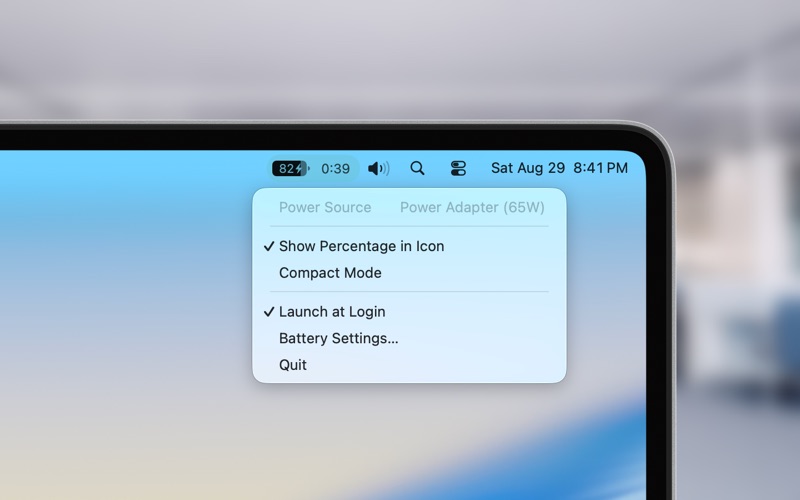
Battery Health & Life Monitor shows how long your MacBook can keep running under the current load, not just the remaining battery percentage.
The time estimate updates with current power usage, so you can see how quickly the battery is draining and how much time is left before you need to charge.
In addition to remaining time, the app shows battery health, cycle count, current and maximum capacity, temperature, voltage, current, and power usage. When your MacBook is connected to power, you can also view charging details and adapter power.
The main information is available directly from the menu bar. For more detailed battery data, open the menu while holding the Option key.
Features:
- Remaining battery time under the current load
- Battery percentage
- Charge cycle count
- Current and maximum battery capacity
- Battery health
- Battery temperature
- Current power usage
- Voltage and current
- Connected adapter power
- Charging information
- Menu bar indicator
- Color mode
- Detailed battery information with the Option key