
iPhone Screenshots



Description
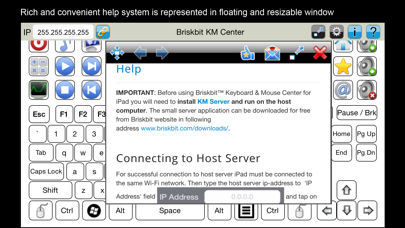
Briskbit KM Center provides the functionality to control and interact with your computer by turning your iPhone 4S, iPhone 5/5C/5S or iPhone 6/6 Plus/7/7 Plus/8/8 Plus/XS/XS Max/XR/11/11 Pro/11 Pro Max into a WI-FI or cellular network based remote control. You can interact with apps and play the games using built-in keyboard, track-pad and some common shortcut keys. This makes it an ideal remote control for your HTPC. The possibilities are infinite with Briskbit KM Center and whatever is possible with a keyboard, or a mouse you can do with our easy to use, intuitive and user-friendly App.
Features
iPhone 6 Plus/7 Plus/8 Plus/XS/XS Max/XR/11/11 Pro/11 Pro Max:
• 85 keyboard keys, trackpad and 15 shortcut keys for Windows
• 84 keyboard keys and trackpad for Mac
iPhone 6/7:
• 82 keyboard keys, trackpad and 15 shortcut keys for Windows
• 83 keyboard keys and trackpad for Mac
iPhone 4S/5/5C/5S/SE:
• 75 keyboard keys, trackpad and 6 shortcut keys for Windows
• 79 keyboard keys and trackpad for Mac
• Supporting all your computer's games and applications
• Multi-touch trackpad and gestures (including 2-finger scrolling and zooming)
• Supports mouse left/right/middle/double-click
• Application launcher buttons
• Launch applications, open hyperlinks, documents and files
• Works with Microsoft Windows and Apple OSX
• Easy setup and configuration
• Wi-Fi or cellular network based connectivity
REQUIREMENTS:
* iOS 8.0 or greater.
* Wi-Fi or cellular network.
* Mac or Windows PC to control with Briskbit KM Server installed.
SETUP:
Using Briskbit Mouse & Keyboard Center requires downloading and installing a tiny application on the host Mac OSX or Windows based computer named Briskbit KM Server (version 1.0.8 and above) which can be downloaded for free from our website at http://briskbit.com/downloads
Instructions on how to setup Briskbit Gamepad Server is available at http://www.briskbit.com/help/km-server-help.
SUPPORT:
* Please avoid asking us questions in an iTunes review as we have no way of responding to your issue.
* Visit http://www.briskbit.com/help/mouse-keyboard-center-help for instructions on how to use the app
* If you run into any problems don’t hesitate to email us at [email protected]. We're here to help!
App demo video can found at: http://youtu.be/gnDb5UyCknE