
Stopwatch plus Multiple Timer
Track time, create stopwatches, set descriptions
Roman Kotov
iPhone Screenshots


Description
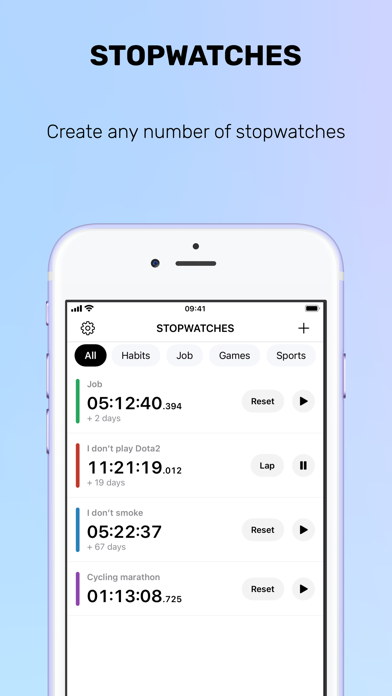
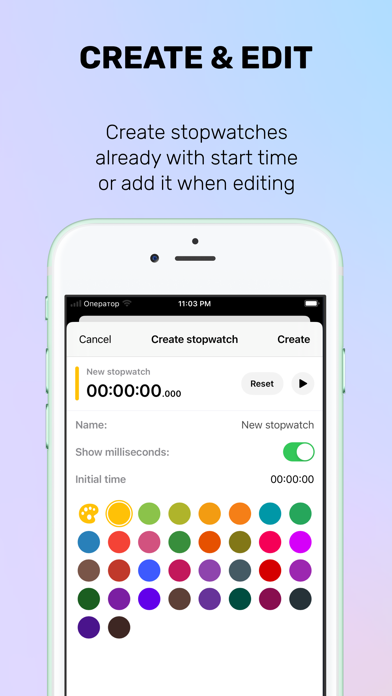
Track time with customizable stopwatches. Create new timers by tapping «+», select colors, and add descriptions. Monitor stopwatches simultaneously. Log time spent on tasks or habits. Set reminders for ongoing activities.
Run multiple stopwatches at the same time — the feature iOS should have had.
Create unlimited named, color-coded stopwatches, track laps with comments, organize everything in folders, and export to CSV when you need the data.
MULTIPLE STOPWATCHES
• Run unlimited stopwatches simultaneously
• Optional “single stopwatch” mode (starting one stops the others)
• Drag & drop reordering
• Millisecond precision (toggle per stopwatch)
LAPS + NOTES
• Record laps with split times
• Add comments to any lap
• Fastest/slowest lap highlighting
• Smart lap deletion (delete or merge time back)
FOLDERS + BULK ACTIONS
• Group stopwatches into folders (Work, Gym, Cooking...)
• Start / stop / reset all stopwatches in a folder
• Folder carousel for quick filtering
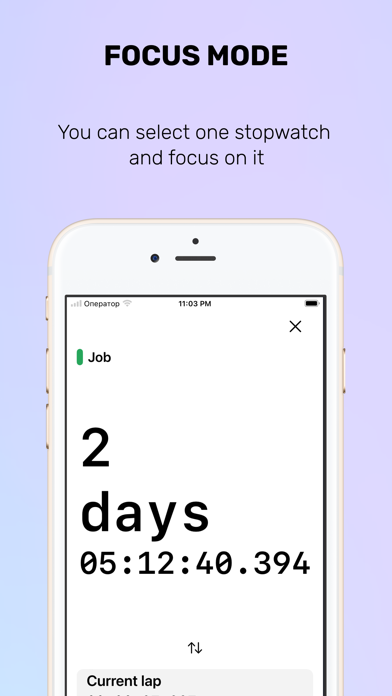
FOCUS MODE
• Full-screen timer view with big numbers
• Minimal controls, no distractions
EXPORT + BACKUP
• Export to CSV (Excel, Numbers, Google Sheets)
• Backup & restore with a shareable file
• Selective export/import (choose what to include)
SIRI SHORTCUTS
• Create, start, and stop stopwatches by voice
• Automate workflows in the Shortcuts app
CUSTOMIZATION
• 11 preset colors + unlimited custom colors
• Compact or regular layout
• Multiple app icons + dark mode
• Supports Dynamic Type
Thanks for using Stopwatches — your ratings and feedback help a lot!