
Soliton SecureDesktop
Access remote desktops securely without VPN
SolitonSystems K.K.
iPhone Screenshots
Description
Access remote Mac or Windows PCs securely without a VPN. Control desktops from anywhere via the internet. View session activity logs and manage access permissions. Connect through a deployed gateway appliance in the enterprise network.
* Description:
"Soliton SecureDesktop" is a remote control application for enterprise users. Soliton SecureDesktop is the easiest and fastest way to access your Mac or Windows PC in your office from across the Internet securely without VPN.
"Soliton SecureDesktop Center", gateway appliance, is required to be deployed in your enterprise network.
* Features:
- Strong security for remote control
The communication between Soliton SecureDesktop and Soliton SecureDesktop Center is fully secured by SSL. Furthermore X.509 certificate can be used to authenticate you and your mobile device.
- 100% compatibility with your desktop
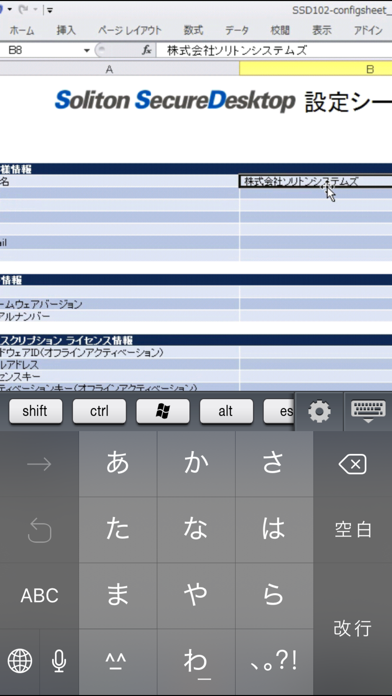
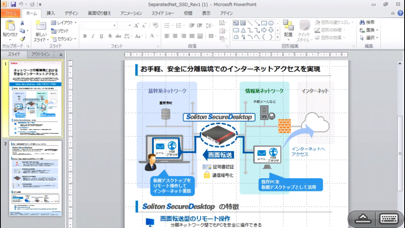
You can access all of the programs and files on your computer with 100% compatibility, including Microsoft Office and iWork, any desktop browsers such as IE, Safari, Chrome, and Firefox with full Flash and Java support, with all of your bookmarks and your favorite plug-ins.
- High performance
Real-time streaming technology including 3D graphics, HD video and synchronized audio optimizes performance that automatically adapts to varying network condition over Wi-Fi and 3G/4G. You can operate your computer from your mobile device effectively as if you were sitting in front of your computer.
- Easy and simple login to a PC with SmartOn ID
Soliton SecureDesktop Client has a feature which enables users to login a PC with SmartOn ID (Secure two-factor authentication software) with a simple button.
*Requirements:
- Soliton SecureDesktop Center
For details please visit Soliton SecureDesktop website:
http://www.soliton.co.jp/ssd/
By downloading, you agree to the Terms of Use at:
http://www.soliton.co.jp/eula/
** NOTICE **
Please use Splashtop Streamer V3.1.0 or later version and use Soliton SecureDesktop Center V1.2.0 or later version when you use Soliton SecureDesktop Client V1.2.1 or later versions.