
iPhone Screenshots


Description
Manage levels and track material movement using mobile devices. Scan items to update stock records. Fill customer orders efficiently. Access SAP Enterprise Asset Management to perform stockroom operations and automate material tracking.
With the SAP Inventory Manager mobile app for iPhone and iPad, you have the tools needed to improve and manage inventory levels, efficiently fill customer orders, and track the movement of materials using mobile devices with scanning functionality. The mobile app accesses the SAP Enterprise Asset Management (SAP EAM) solution and empowers you to provide your technicians and warehouse management staff with the ability to execute stockroom operations in an automated and seamless way, ensuring that you keep your valuable parts and spares under control and ready to respond.
Key features of SAP Inventory Manager for iPhone and iPad
• Perform physical and cycle counts quickly, and check availability of materials while on the job
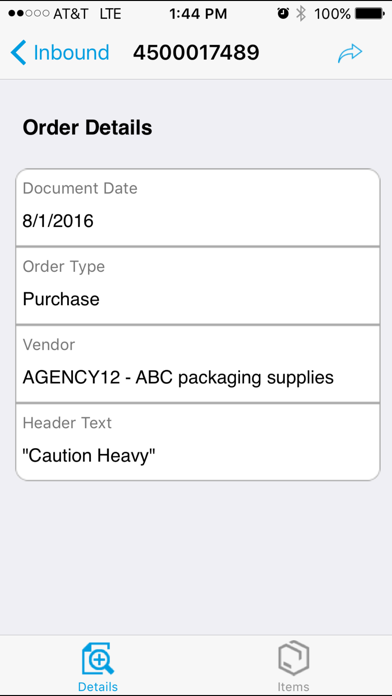
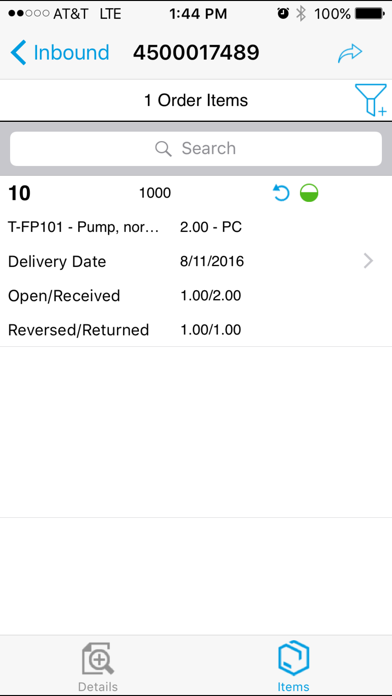
• Accept and distribute incoming materials by PO
• Pre-pick materials based on work orders
• Track materials by number, work order, bin, location, and so on
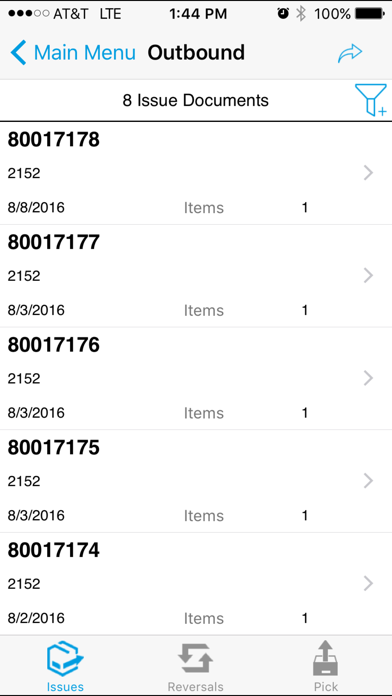
• Issue, return, or transfer goods electronically
• Speed receipt and back-order reporting to and from shipping/receiving
• Manage purchase requisitions, stock transport orders, and outbound delivery documents
Note: To use SAP Inventory Manager with your business data, you must be a user of SAP EAM, with mobile services enabled by your IT department. You can try out the app first using sample data.