
iPhone Screenshots

Description
Looking for a way to manage your files and folders with ease and speed on your Mac?
Here is Easy Explore!
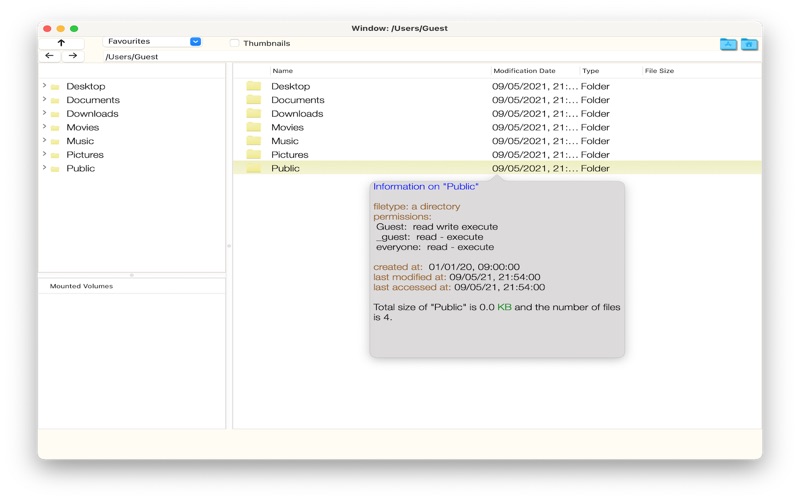
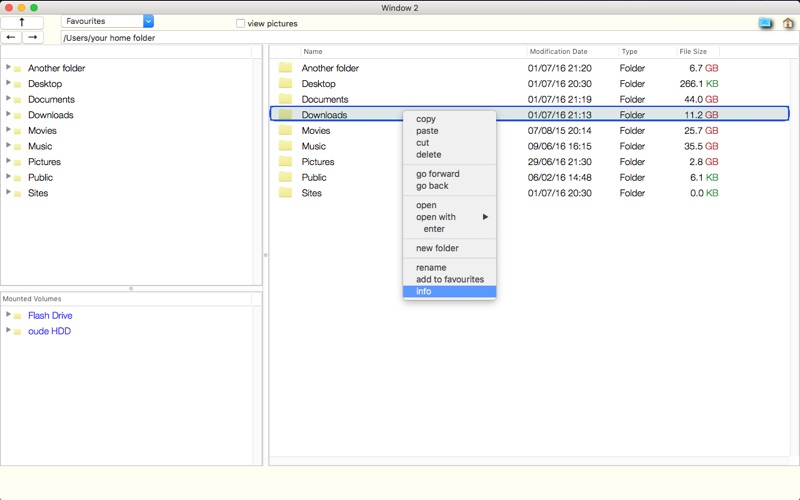
A classic treeview file browser with full tab support. It has familiar keyboard shortcuts such as Ctrl-C/Ctrl-V/Ctrl-X, delete and Enter.
Some features:
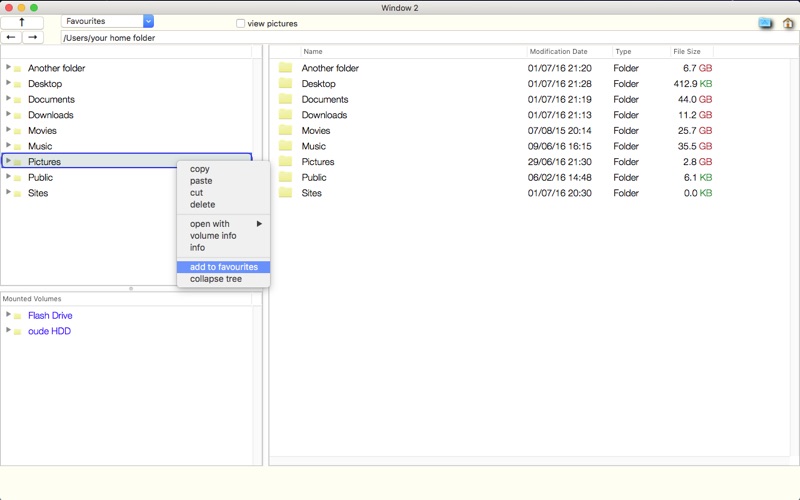
- Using the tree view of the left pane you can dive deep into your Mac with minimal effort.
- Functionality for an unlimited number of Favourite Folders will make sure you never get lost on your Mac.
- Powerful support for picture/file preview will make sorting through pictures a breeze.
- Those who are used to Windows Explorer will feel right at home.
- Easily drag and drop between folders, or cut and paste: no need for another window.
- Clear copy feedback.
- Quick search function, hit Ctrl-F.
- Dark mode support.
While lightweight, it does most things you expect from a file browser.
Plus: integrated support for fonts and font sizes. No more squinting at retina screens.