iPhone Screenshots
Description
Monitors status of KENWOOD's NEXEDGE and DMR repeaters from remote places.
You don’t need to sit in front of a computer anymore for monitoring.
You can monitor repeater statuses on an iPhone and iPad anytime and anywhere, even while outside, on a business trip, or in a meeting.
◆Features◆
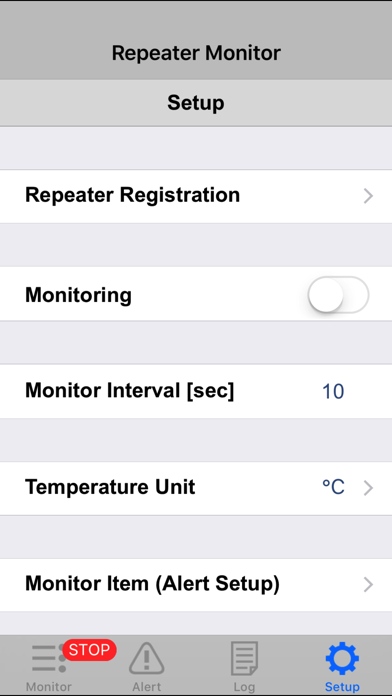
・Status monitor for NEXEDGE and DMR repeaters
・Round-the-clock / Selective remote IP monitoring
・Alert Notification
・Up to 1000 record log
◆Supported Languages◆
English (US)
◆Recommend System Requirements◆
iPhone 4S, iPhone 5, or iPhone 5s
The third/fourth generation iPad, iPad Air, iPad mini or iPad mini with Retina display
(Requires iOS 8.4 or later.)
* Note:
・This app is for KENWOOD's NEXEDGE and DMR system owners or administrators.
・This app is created based on the KPG-149RM (Repeater Monitor), PC version. While the functions are basically identical to those of the KPG-149RM, the following restrictions apply.
− Repeater information cannot be retrieved while an iPhone or iPad is in sleep mode, or while this app is running in the background.
− The e-mail notification feature is not supported.
・This app is intended to be used for alternative monitoring tool while in remote places. KENWOOD recommends the use of KPG-149RM, the windows PC application software, for 24/7 monitoring,
For details of the KPG-149RM, please refer to the site below.
− http://nexedge.kenwood.com/
・This app requires VPN connection when connecting to the radio system via commercialcellualr network such as 3G or LTE.
・This app is provided free of charge; however, miscellaneous fees, such as the packet communication fee, will be charged to the user.
・For inquiries on this application, please contact the NEXEDGE System support services.