
ColatPlayer2 : FLAC / Folder
Play Hi-Res music from folders.
yoshimune kitta
iPhone Screenshots


Description
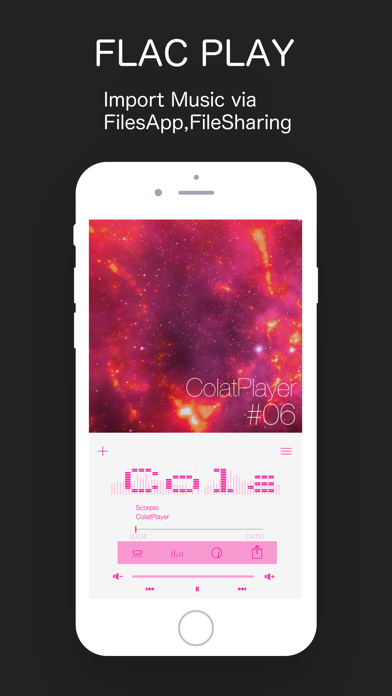
The app plays FLAC and other Hi-Res files from folders. It includes a stem mixer to separate and manipulate track components.
colatplayer2 is a music player that plays FLAC and other Hi-Res files
straight from folders. Stack an equalizer (EQ), reverb (concert effect)
and effect pads on top, and a song you know becomes something to play with.
■ New in 8.0
STEM MIXER (new)
Split a track into vocal, drums, bass and the rest — and mix it your own way.
• Effects on each lane. 46 in all
• Drop the vocal, swap the bass for a synth, chop just the drums on the beat
• One XY pad moves two knobs at once. LPF / HPF / BPF draw their curve over the analyzer
• A spectrum, level meter and waveform for every lane
• PRESET — name what you built and call it back from the list
• Try it for 60 minutes. Another 60 becomes available 12 hours later
Requires iPhone 14 Pro / iPhone 15 or later, or an iPad with 8 GB of memory or more (M1 and later Pro/Air, iPad mini 7). Separating a track is heavy work, so it is not available on earlier devices. Everything else in the app works as before.
■ New in 7.2
[Managing Songs]
1- Copy files directly within ColatPlayer - no Files app needed.
2- Link folders from other apps and play their songs directly, without copying.
3- Organize your songs right inside the app - no Files app needed.
■ New in 7.0
- FX Pads
Chop the track with eight pads. ROLL, REVERSE, BRAKE, TRANS and more.
Four banks (BEAT / TONE / LOOP / SAMPLE), 32 effects in total.
Everything locks to the beat (BPM) automatically.
- XY Filter
Sweep low-pass (LPF) and high-pass (HPF) with your finger.
The filter curve is drawn over a live spectrum analyzer, so you can
see the band you are touching.
- Speed and Key
0.5x to 2.0x, continuously.
With KEY on the pitch stays put (master tempo).
With KEY off it behaves like changing a turntable's speed.
- Resume where you left off
Close the app completely and it picks up the same track and position.
- Gapless playback
No silence between tracks.
- Level meter
Choose how it looks. Input gain and a limiter are included.
■ Supported files
FLAC / ALAC / AAC / MP3 / AIFF / WAV
Hi-Res up to 96kHz / 24-bit. No conversion needed.
Three ways to get files in:
- Finder (iTunes) on a Mac
- The Files app on your iPhone
- AirDrop or Share from another app
Folders stay folders. Make one per album and it lines up that way.
■ Finding a track
Pick the one song you want out of many, fast.
By artist, album, playlist or title. Swipe to move through them.
Build the moment with stars and the queue.
■ Make it yours
Choose a wallpaper, or use a photo from your own library.
Pick the clock typeface.
An old iPhone you no longer carry makes a fine desktop player on a stand.
■ Additional effects (In-App Purchase, one-time)
- Efx PEQ
A 3-band parametric equalizer (EQ).
Turn gain, Q and frequency, and hear the change as you make it.
Includes a stereo spectrum analyzer with peak hold, and a level meter.
Earphones and genres differ. Tune it to your taste.
- Efx DSP
Bring the live show back.
Eight rooms - GEKIJO, LIVEHOUSE, THATER, CLUB, HALL, ARENA, STADIUM,
DOME - in two flavours each, sixteen presets in all.
Adjust reverb amount, delay time and decay time.
Put the air of that night back around the music.
- Efx FX-Pad
The FX pads and XY filter described above.
All one-time purchases. One Apple ID covers your other devices.
Changed phones? Tap Restore Purchase.
You can try each one in demo mode before buying.
■ Good for you if
- You want FLAC and Hi-Res played as-is, no conversion
- You want an equalizer to shape the sound
- You like watching a spectrum analyzer and level meters
- You want to play with effects on songs you already know
- You listen offline, without using data
```