
Enpass - Password Manager
User chooses safest place for passwords.
Enpass Technologies Private Limited
iPhone Screenshots




Description
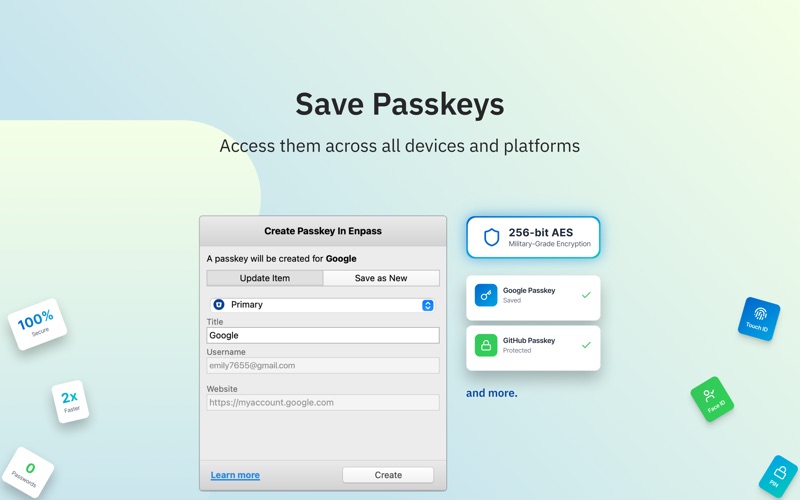
The app stores and syncs passkeys, offering users control over encrypted vault storage. It supports cloud services like iCloud and Google Drive, or offline storage, with a built-in authenticator.
CHOOSE YOUR OWN SAFEST PLACE TO STORE PASSWORDS & PASSKEYS
Enpass believes your data belongs to you. Instead of keeping everyone’s passwords on a central server like most password managers, with Enpass YOU choose where your encrypted vaults are stored and synced.
● Enpass works with iCloud, Google Drive, OneDrive, Box, Dropbox, NextCloud, WebDAV, or completely offline.
● And with support for storing and syncing passkeys across devices, Enpass is ready for the password-less future.
WHY ENPASS IS SAFER
● Most password managers store every user’s vaults in their own central server, making a tempting single target for hackers
But with Enpass, hackers would have to
- Target you personally
- Know which cloud services you’ve chosen for your vaults
- Have the credentials to those cloud accounts
- Get past each account's multi-factor authentication
- And know your Enpass master password
● Enpass also includes password audit & breach monitoring — user-friendly tools to help keep you safe
WHY ENPASS IS BETTER
● Store and sync passkeys — ready for the password-less future
● Unlimited vaults — completely separate work passwords from personal, and more
● Wildly customizable — make your own templates, categories, and tags to organize your credentials and private files
● Share individual vaults — with a parter or project team; help manage passwords for kids or elderly relatives
● Customize each Item — add, remove, and rearrange fields, or make your own (even multi-line fields)
● Customizable browser extension — make auto-fill and auto-save work the way YOU like, and make your own keyboard shortcuts
● Customizable password generator — tweak up to 10 parameters when creating strong new passwords
● Attachments — include documents and images with your saved credentials
● Built-in authenticator (TOTP) — no need for a separate app to get those 6-digit codes
AND ENPASS IS AFFORDABLE
● Enpass Premium starts at just $1.99/mo, Enpass Family at $2.99/mo
● Enpass Business starts at $1.99/user/mo
● Visit enpass.io/pricing for more details. **
ENPASS IS ALSO BETTER FOR BUSINESS
● Decentralized storage & sync makes Enpass compliance-friendly
● Powerful security and recovery tools, and one-click sharing for teams
● Automatic provisioning and offboarding
● Easy integration with Google Workspace and Microsoft 365
ENPASS IS EVERYWHERE
● Enpass works across Mac, iOS, watchOS, and all major browsers and operating systems
SECURITY
● Zero-knowledge AES-256 encryption on 100% of user data
● Certified compliance with ISO/IEC 27001:2013 standards
● Quick unlock with Face ID or Touch ID
● Quick unlock with a PIN
● Unlock with a keyfile as second-factor authentication
CONVENIENCE
● Auto-fills passwords, authentication codes, credit cards, and webforms
● Auto-saves new or changed credentials
● Stores and syncs passkeys across devices
● Syncs via your personal cloud accounts or via Wi-Fi
PASSWORD SAFETY
● Highly customizable password generator
● Automatically checks for weak or compromised passwords
● Automatically monitors for website breaches
● Retains password history for each Item
● Automatic backups
USABILITY
● watchOS integration
● Extensions for Safari, Firefox and all Chromium-based browsers
● Easy import from other password managers and CSVs
● Customize tags, categories, fields, and more
● File attachments (add ID cards & other documents to items)
● Copy to Clipboard
● Dark Mode
** For in-app purchases, subscriptions will auto-renew unless disabled in the App Store Account Settings at least 24 hours before the renewal date
Terms of Use: https://www.enpass.io/legal/terms
Privacy Policy: https://www.enpass.io/legal/privacy
ENPASS SUPPORT
Email: [email protected]
Twitter: @EnpassApp
Facebook: Facebook.com/EnpassApp
Forums: https://discussion.enpass.io