
Colore: explore and choose colors, for design and fun
INMAGIK SRL
iPhone Screenshots



iPad Screenshots


Description
Colore is a color browser and viewer.
This app gives you a set of tools to work with, explore and choose colors.
Initially targeted at a technical audience of web graphics and designers, Colore has been enriched with a set of functions that make it useful for anyone dealing with colors!
visit the colore home page for more details:
http://apps.inmagik.com/colore
These are some of the functionalities of the latest Colore version:
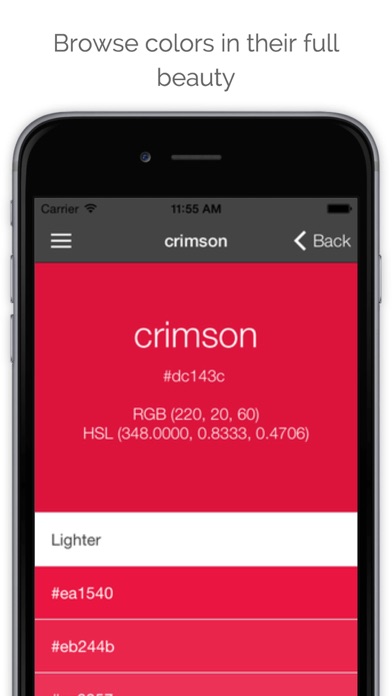
- You can easily browse lists of colors (named css/web colors, crayon colors and wiki colors) and view any color fullscreen on your device. The list is searchable, orderable and filtrable by hue.
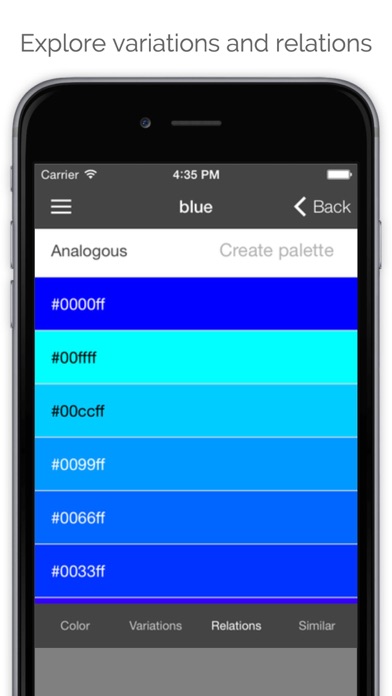
- By selecting a color you can instantly access variations, relations and similar colors.
- Variations show 9 lighter shades, 9 darker shades, 9 saturated shades, 9 desaturated shapes and 30 monochromatic shades.
- Relations contain complementary shade, 12 analogous shades, triad and tetrad.
- Similar colors show the three closer shades in the various color lists featured by the app.
- With the "color picker" you can input RGB, HSL, HSV and HEX codes.
- If you need more inspiration from the real world or from existing designs, use the grab from picture feature to extract the dominant color and a colors palette from an image stored in your device or coming directly from the camera or from an URL on the net.
Colore also has the concept of "palette", a group of colors.
- While browsing and exploring colors, you can save shades to named palettes or to a generic notebook and access them later.
- Any color can be saved in different palettes. Items can be copied and moved between palettes with a simple interface
- The set of the last 100 colors you have seen is always available.
- With the "palette generator" feature you can generating a palette (up to 11 colors) starting from a main color, with various algorithms in RGB and HSL spaces
- Once you have discovered interesting shades of color and palettes, you can easily share them with a simple link, which you can copy or send by email directly from Colore.
-Anyone with an internet connection will be able to access your color or combination.
App information from Apple App Store. Colore: explore and choose colors, for design and fun and related trademarks belong to INMAGIK SRL.