iPhone Screenshots
Description
The app reads QR codes using the camera with automatic focus and exposure adjustments. It also creates QR codes from text, allowing users to share messages, contacts, and URLs.
QR Literacy can create a QR code from the text and read QR codes.
Easy to use!
QR-Literacy will automatically read the QR code on the camera.
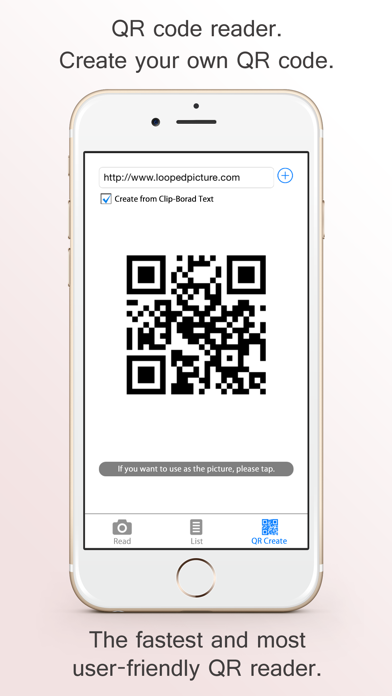
Just copy and paste the text, you can create a QR code easily.
You can use the QR code that you have created, you will be able to convey the Message, Contacts and URL.
By saving the list as a fixed phrase you use often,You can create a QR code at any time.
QR code that you have created, it can be used as image data.
You can use created the QR code, to communicate easily e-mail address, Telephone number to the person of the first meeting.
Main function
- Reading of the QR code. (Auto light Focus/exposure adjustment by screen tap)
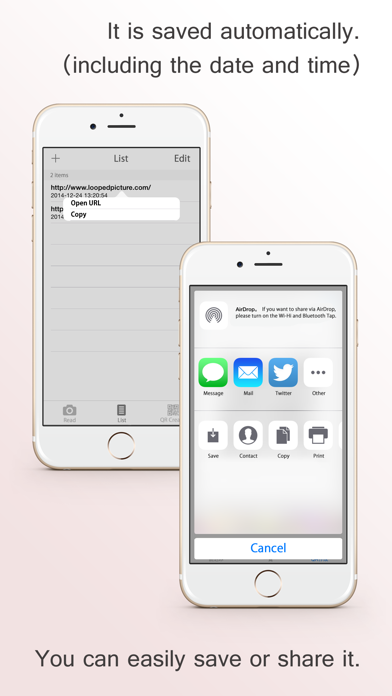
- Save QR code read, edit function.
- Save of the QR code information, editing function.
- Creating a QR code from (text that you copied in other apps) clipboard.
- Save of the QR code that you have created, can be transferred to other apps.
- URL scheme support.
qrliteracy://?=Meesage
In the above, you can create a QR code.
* If the application does not start, please check the following.
Settings -> Privacy -> Camera-> QR Literacy is on.