
iPhone Screenshots
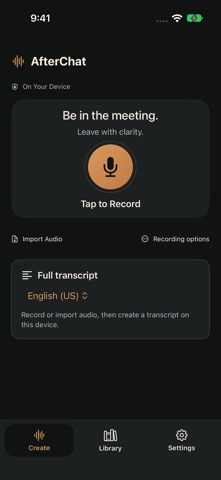


Description
Be in the meeting. Leave with clarity.
AfterChat keeps the conversation and its transcript together in a simple, focused workspace.
RECORD OR IMPORT
Record a conversation, pause and resume when needed, or import an existing audio file. Keep the original recording for playback and review.
CREATE A TRANSCRIPT ON YOUR DEVICE
Turn supported speech into readable text using Apple's on-device speech tools. No AfterChat account or separate AI notes model is required. Transcription availability depends on your device and selected language. Internet access may be needed to download Apple's speech assets.
FIND AND SHARE
Name your conversations, browse and search your Library, and reopen saved transcripts. Use Share conversation to package the original audio and saved transcript files together for the system share sheet.
KEEP CONTROL OF YOUR CONTENT
Recordings and transcripts stay in local app storage unless you choose to share them or include them in device backups. Automatic cloud syncing is off. There are no advertisements or subscriptions.
Requires iOS or iPadOS 26 or later. Available storage limits recording length; new recordings use approximately 5.3 MB per minute. Transcription can make mistakes, so compare important details with the original audio.
Get appropriate permission before recording. AfterChat records through the device microphone; it does not directly capture telephone calls or another app's audio.
Deleting a saved Library item does not erase older retained local revisions, separate original audio, backups, or previously shared copies. See the privacy policy for storage and retention details.