
iPhone Screenshots


Description
Hear it. Separate it. Learn it.
Turn a recording into a practice session built around the part you want to hear.
Import a song, separate its instruments on your device, then solo a part or shape
your own backing mix. Switch between the original recording and your instrument
mix whenever you need to hear the whole picture.
Work out difficult phrases by ear. Slow down or speed up playback while keeping
the pitch, transpose for practice, and repeat a loop until the part feels right.
Make the mix yours with track levels, pan, mute and solo. Reorder tracks to fit
the way you work. Start separation with an instrument preset, then choose the
instruments you need.
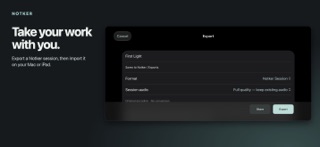
Keep songs in playlists for practice, rehearsal or performance. Export stems as
WAV, MP3, AIFF or FLAC for your next music tool. Export a Notker session or playlist
and import the file on your Mac, iPhone or iPad to carry your work with you.
Cross-device transfer is manual; Notker does not automatically sync libraries.
Separation runs locally on your device. No Notker account or login is required.
Quality and processing time depend on the recording and device. Use recordings
you own or have permission to process. Notker helps you transcribe by ear; it does
not automatically generate notation or MIDI.
Bring your practice tools to iPhone and iPad. Separate one recording at a time,
shape your mix with touch controls, and touch and hold a track name or icon to
reorder it. Export your session to keep working on another supported device.
User guide: https://briarwaveaudio.com/notker-user-guide