
iPhone Screenshots




Description
Your files, together on your iPhone.
JurfPod brings local file management, media playback, readers, notes and website bookmarks together in a customizable terminal-style interface.
NINE APPLICATIONS
• Audio: import MP3 files with search, shuffle, autoplay and background listening.
• Video: play supported MP4 and MOV files, seek, zoom and minimize for audio-only listening.
• Photos: view common image formats, pinch to zoom and play animated GIFs.
• Reader: read EPUB books with chapters, text sizing, bookmarks, saved position and page swipes while controls are hidden.
• Comic: read unencrypted CBZ and CBR archives with page controls, zoom and reading-direction options.
• Document: read PDFs with scrolling and zoom.
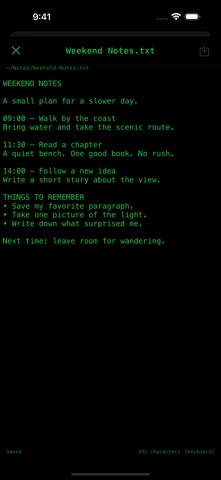
• Notes: create, edit and save plain-text TXT files.
• Hyperlinks: save website labels and addresses in nested folders, then open them through iOS in your default browser or an associated app. Your bookmark library stays local.
• Terminal: manage local files with a fixed set of commands and authorize external Files locations for transfers.
ORGANIZE YOUR LIBRARY
Create subfolders, navigate tappable paths, search, sort by name or size, rename, move and delete files. Use the native Files picker to import compatible files. Terminal adds command-based copying and moving between authorized locations and compatible JurfPod folders, with transfer progress and overwrite confirmation.
FOCUS ON YOUR CONTENT
Hide controls in Photos, Reader, Comic and Document for more viewing space, then tap the center to bring them back. Reader font controls and pinch zoom work independently. Swipe horizontally to turn reading pages while controls are hidden and the page is not magnified.
MAKE IT YOUR TERMINAL
Hold a Home application row to move it up or down. Choose which applications appear in Settings; hiding an application preserves its files. Adjust interface and background colors, enter hex colors and save up to five appearance presets.
LOCAL BY DESIGN
Play, read and write offline once your files are on your iPhone. Opening websites and sending optional support reports require connectivity. Cloud-backed Files providers may need to retrieve files before local use. Terminal is a sandboxed file tool with a fixed command set: it does not run arbitrary programs or provide SSH or remote shell access.
No app account, advertising, subscription or in-app purchase is required. Bring your own files; no media catalog is included. Playback depends on iOS-supported codecs. Encrypted archives and DRM-protected media are not supported. Designed for iPhone.