
iPhone Screenshots


Description
Open a deck and be presenting in seconds. Pitch Mode puts your slides on the room's TV or monitor and keeps everything you need on your iPhone: speaker notes, what's next, and a timer.
Built for iPhone Duo. Open it flat and the presenter console splits across the inner display: the slide and controls on one side, your notes on the other, with nothing on the fold. Stand it up like a book on the table and the controls get bigger, so you can glance down and tap without picking it up. On any other iPhone it works the same, in a single column.
• Opens .pptx files from Files, Mail or the share sheet. Speaker notes come along automatically.
• Slides on an AirPlay or USB-C display; notes, next slide and controls on your phone. Your phone screen is never mirrored.
• Talk tracks: add your own lines to any slide, shown above the speaker notes.
• Quick Jump: tag slides like "Pricing" or "Security", jump there in one tap, then jump right back.
• Slide grid: reach any slide in two taps.
• Black screen, a pitch timer with a target length, and a haptic when you run over.
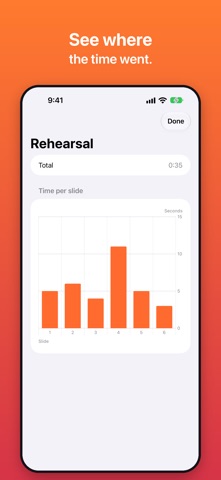
• Rehearse without a TV, then see how long you spent on each slide.
• Bluetooth clickers and keyboards work.
• Private by design: no account, no servers, no tracking. Your decks never leave your phone.
Not supported: animations, transitions and embedded video. Slide content can't be edited in the app.
For pixel-perfect slides, add a PDF export of the same deck.