
iPhone Screenshots



Description
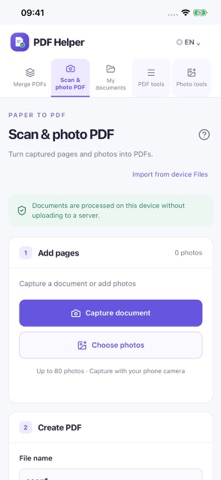
Keep documents and photos organized with PDF Helper. Capture a document or import files from your device, create PDFs from photos, and combine PDFs in your preferred order.
SCAN AND PHOTO PDF
Automatically detect document corners or adjust each corner yourself. Choose color, grayscale or document enhancement. Keep the original photo size without margins, or select A4, Letter or custom dimensions.
MERGE AND EDIT PDFs
Merge files in your chosen order. Preview pages, reorder, rotate or delete individual pages, then save your edited PDF as a new copy.
PDF TOOLS
Compress PDFs, split or extract selected pages, convert PDFs and images, and add a signature image, watermark or page numbers. Signature images are not certificate-based digital signatures.
PHOTO TOOLS
Combine several photos into one image or split a photo into a grid. Choose the output ratio, rows, columns, photo order, spacing and fit.
BACKGROUND REMOVAL
Remove a photo background on your device and export a transparent PNG. Review and refine edges, especially on complex backgrounds.
ON-DEVICE PROCESSING
Documents and photos are processed on your device and are not uploaded to our servers. No account or direct cloud connection is required. Export files to your device or share them with other apps.
Available in Korean, English, Simplified Chinese and Japanese. App and website document libraries do not automatically sync. Export important files before uninstalling the app.