
iPhone Screenshots


Description
No ads. No accounts. No noise. Just the text — presented in a calm, minimal interface designed for reading, not scrolling.
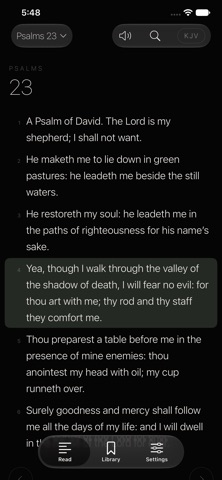
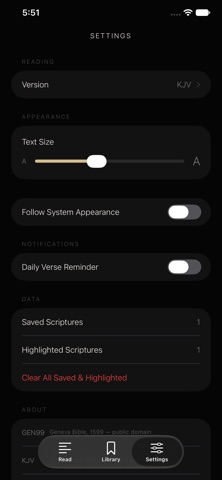
READ Move through books and chapters with a simple swipe. Choose from nine respected public-domain translations, including the King James Version, American Standard Version, Berean Standard Bible, Young's Literal Translation, and more. Adjust text size to fit the way you read.
LISTEN Let scripture be read aloud with natural-sounding text-to-speech. Keep listening with the screen off — Jible supports background audio with full Lock Screen and Control Center controls, so you can play, pause, and skip verses without opening the app.
SAVE & HIGHLIGHT Mark verses that matter to you. Save them for later, or highlight them in one of four quiet tones. Everything is stored privately on your device.
SEARCH Find any verse in seconds with fast, full-text search across your chosen translation.
DAILY VERSE Open the app to a new verse each day, or turn on a daily reminder at a time you choose — a small, quiet nudge to return to the text.
DESIGN Jible is built around restraint: thin, deliberate typography, generous whitespace, and a black-and-white aesthetic in both light and dark mode. Nothing competes with the words.
PRIVACY Jible collects no data. There are no accounts, no analytics, no tracking. Everything you save stays on your device.
Nine translations. One quiet place to read.
What's New (for v1.0 — first release)
First release of Jible: nine Bible translations, swipe navigation, full-text search, verse highlighting and saving, read-aloud with Lock Screen controls, daily verse notifications, and light/dark appearance.