
iPhone Screenshots


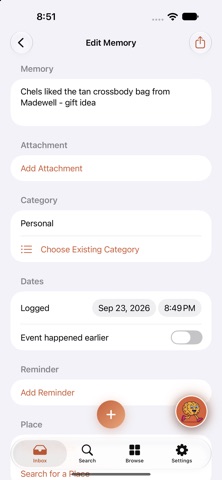

Description
MemoJog is your private, secure backup brain.
Forgetting something? Jog it. Capture it by voice, text, or photo, then find it again later just by asking. It's also a home for the screenshots, receipts, and quick notes that would otherwise pile up in Photos and Notes.
No accounts, no ads, no tracking. Your memories sync privately through your own iCloud account and never touch a server we run, because there isn't one.
CAPTURE IN SECONDS
- Talk, type, or snap a photo
- Share a screenshot, note, or link from any app instead of saving it to Photos or Notes
- MemoJog transcribes, captions, and files it for you
- Save a link and search the words on the page
- Receipts and business cards are read for names, vendors, and totals
- Add any memory to your Calendar, with a suggestion when MemoJog spots a date
- Rambling voice notes get a tidied-up version with action items pulled out
FIND IT BY DESCRIBING IT
- Ask "what was that restaurant my friend recommended?" and MemoJog finds it
- Speak or type your question to Jog, your on-device assistant, and it answers from your own memories
- Catch up on a person or place with a short recap
BUILT FOR SIRI
- "Hey Siri, remember [something] in MemoJog"
- "Hey Siri, what do I have about [a person or topic] in MemoJog"
- A built-in guide in Settings shows exactly what to say
ON YOUR WRIST
- The Apple Watch app lets you dictate or record a memory, search, or ask Jog without reaching for your phone
PRIVATE BY DESIGN
- We run no servers and collect no data
- Mark any single memory Private to keep it out of Siri and search for good
REMEMBER PLACES
- Tag a place and get reminded when you arrive, with a one-tap link to open it in Maps
BACKED UP
- Automatic backups to your own iCloud Drive, so you're never one lost phone away from losing everything
REQUIREMENTS
Requires iOS 27 or iPadOS 27. The Apple Watch app needs an Apple Watch compatible with watchOS 27. Capture, recall, and search work on any device that meets the OS requirement.
Automatic categorization, photo captions, and Jog run on-device with Apple Intelligence. They need an iPhone 15 Pro, iPhone 15 Pro Max, or any iPhone 16 or later, or an iPad with an M-series chip, with Apple Intelligence turned on.
Siri support is new in iOS 27 and still maturing, so results can vary. Settings > Guide lists the phrases that work best.