
iPhone Screenshots


Description
KNOW THE AIRFIELD BEFORE YOU HEAD TO THE HANGAR.
Airfield Advisor Pro is a lightweight aviation information tool designed to give pilots a fast, practical picture of airport conditions before heading to the airport.
No complicated flight-planning workflow. No digging through multiple screens just to answer basic questions. Select an airport and quickly see the information that can matter for your next flight.
EVERY AIRPORT. CURRENT FAA DATA.
Airfield Advisor Pro uses the FAA's National Airspace System Resources (NASR) data to provide airport and runway information across the FAA airport database. Save frequently used airports as Favorites for even faster access.
FIND THE BEST RUNWAY
Airfield Advisor Pro combines current reported winds with available runway data and calculates the wind components for each runway.
Quickly see:
• Recommended runway for the reported wind
• Headwind component
• Crosswind component
• Tailwind component
• Gust crosswind information
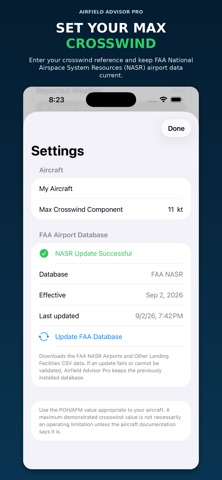
• User-defined maximum crosswind alerts
• Tailwind warnings when the calculated tailwind exceeds 10 knots
The graphical runway display makes it easy to visualize how the reported wind affects the airplane on each available runway.
CURRENT WEATHER — WITHOUT THE DECODING WORK
Review the latest METAR and switch to a plain-language weather interpretation when you want it.
Airfield Advisor Pro also automatically calculates density altitude using current airport weather information.
CURRENT FAA NOTAMS
Airfield Advisor Pro connects to FAA NOTAM Management Service data through its dedicated production backend.
The system continuously receives FAA NOTAM updates and reconciles its database against the FAA's current active inventory, helping filter expired and inactive information from what the pilot sees.
Review airport, runway, taxiway and other applicable NOTAM information without leaving the app.
AIRMETS & SIGMETS AT A GLANCE
When aviation weather hazards affect the area, Airfield Advisor Pro calls them out separately from the METAR.
Color-coded alerts make them easy to identify:
• Blue — G-AIRMET
• Red — SIGMET
Tap an alert for additional information and plain-language descriptions of hazards such as turbulence, icing, IFR conditions, mountain obscuration, low-level wind shear and significant weather.
FAA AIRPORT DIAGRAMS
Need the airport diagram? Access the applicable FAA airport diagram directly from Airfield Advisor Pro without leaving the app.
BUILT TO BE QUICK
Airfield Advisor Pro isn't intended to replace a full electronic flight bag or comprehensive flight-planning platform.
That's the point.
It's designed to be a lightweight companion that helps answer practical questions quickly:
What's the weather?
Which runway looks best for the wind?
Is there a significant tailwind or crosswind?
What NOTAMs are currently affecting the airport?
Is an AIRMET or SIGMET affecting the area?
What's the density altitude?
What does the airport diagram look like?
Get the airport picture before you head to the hangar.
Plan smart. Fly safe.
Airfield Advisor Pro provides supplemental aviation information and is not a substitute for official FAA information, approved flight-planning resources, aircraft operating limitations, required preflight planning, or pilot judgment.