
iPhone Screenshots



Description
Turn a photo, sketch, or idea into a workshop-ready stained-glass pattern on iPhone and iPad.
Start from a camera photo, Photos, Files, or a blank canvas. Trace seams by hand or use on-device contour suggestions. Closed regions become real pieces as you draw, while leaks and shapes that cannot be built are flagged before they reach your light table. The same deterministic geometry engine powers Glasswright on Mac, iPhone, and iPad.
DESIGN A BUILDABLE PATTERN
• Trace over an embedded reference image with adjustable opacity
• Draw straight and freehand seams, rectangles, ellipses, triangles, and polygons
• Rotate shapes, align selections, distribute spacing, and create uniform grids
• Select and drag seams or whole shapes, reshape nodes, and undo or redo every edit
• See pieces, leaks, numbers, colors, areas, and cut warnings update live
• Preview Design, Assembly, and Glass Cut plans
PREPARE IT FOR GLASS
• Assign colors from a document-owned swatch palette
• Choose copper-foil or lead-came construction dimensions
• Preview assembly widths and allowance-compensated cutting outlines
• Keep piece numbers stable as the pattern evolves
PRINT, SHARE, AND KEEP WORKING
• Print exact-scale patterns with AirPrint
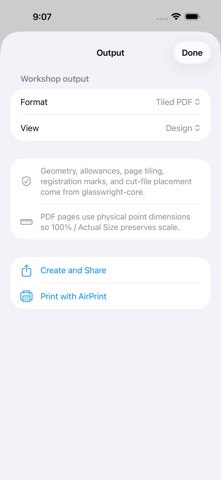
• Share PDF, tiled PDF, CSV bill-of-materials, SVG, and DXF output
• Store portable .glasswright packages locally, with another Files provider, or in Glasswright on iCloud Drive
• Continue the same pattern and its embedded reference image on Mac, iPhone, or iPad
SCAN THE GLASS YOU OWN
• On supported iPhone and iPad hardware, use ARKit to trace and approximately measure a flat glass sheet
• Save the measurement and camera image in a portable .glassscan package
• Share it or send it directly to a nearby Mac
PRIVATE BY DESIGN
Geometry, contour assistance, and measurement happen on device. Glasswright requires no account and has no developer-operated backend. iCloud Drive is optional and is provided by Apple; camera imagery remains embedded in documents you choose to save or share.
Measurements are approximate. Confirm critical dimensions before cutting glass.