
iPhone Screenshots


Description
Focus on the page, not the ads.
AdZero is a Safari ad blocker for iPhone and iPad. Reduce banners, unexpected popups, web trackers and other distractions. Preventing blocked ad resources from loading can also help reduce unnecessary data use.
ONE PURCHASE. NO SUBSCRIPTION.
Use AdZero without creating an account or paying a recurring subscription.
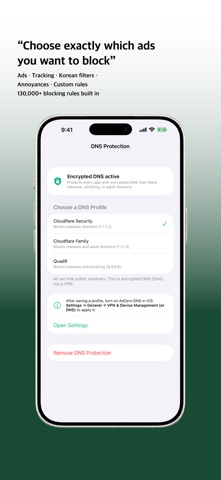
CHOOSE WHAT TO BLOCK
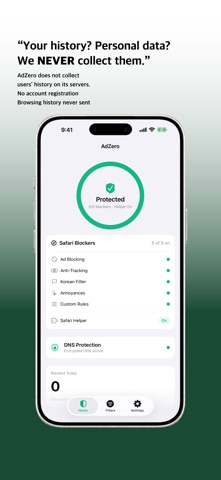
• Safari ads and advertising popups
• Web trackers and analytics scripts
• Regional filters for Korean websites
• Cookie banners, subscription prompts and other annoyances
• Per-site exceptions and custom blocking rules
• A Safari helper and an element picker to hide unwanted page elements
• Filter updates, protection diagnostics and site issue reports
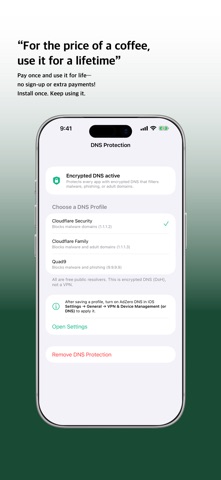
OPTIONAL ENCRYPTED DNS
Choose public DNS presets from providers such as Cloudflare and Quad9. Depending on the provider and preset, these can block known malicious domains. This is an optional iOS system DNS setting—not a VPN or AdZero-operated system-wide ad blocker.
YOUR BROWSING HISTORY STAYS OFF ADZERO SERVERS
AdZero contains no advertising or analytics SDK. It does not send visited website addresses, search terms or browsing history to AdZero servers. Settings and blocking statistics stay on your device. Filter updates download from a GitHub CDN. If you enable encrypted DNS, DNS queries go to your selected provider and its privacy policy applies.
BEFORE YOU START
• Enable the AdZero content blockers and Safari helper in iOS Settings, then grant the necessary website permissions. The app walks you through setup.
• Safari protection does not remove every advertisement inside other apps.
• Blocking results vary by website and advertising method. If a website does not work as expected, add it to your exceptions.
• DNS protection is optional and does not guarantee that every threat will be blocked.
Need help? Use the in-app issue report or visit our support page.