
Audio Cutter - Cut&Split audio
Cut clips and save favorites
iFunia Corporation
iPhone Screenshots



Description
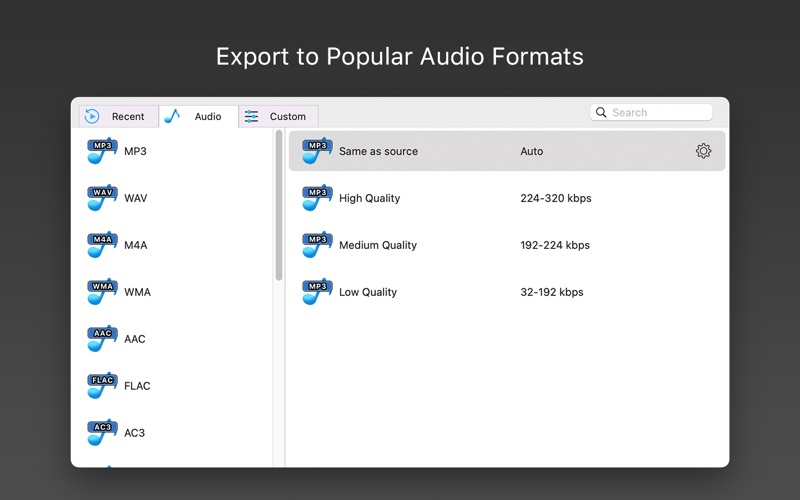
Cut by selecting start and end points. Support multiple formats including MP3, WAV, and FLAC. Export trimmed clips as ringtone or . Share edited directly from the .
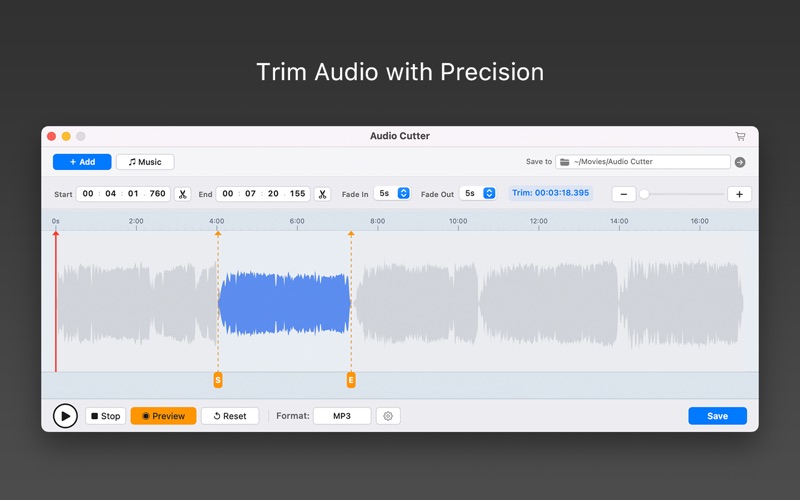
Quickly trim your audio files with Audio Cutter. Click Add to import audio files, or click Music to add audio directly from your Music library. Select the section you want to keep, zoom in on the waveform for precise editing, preview your changes in real time, and export your finished audio in popular formats.
Whether you want to cut a song, extract a favorite part, create a short audio clip, or remove unwanted sections, Audio Cutter provides the essential tools to get it done quickly.
KEY FEATURES
- Add Audio Easily
Click Add to import audio files or Music to add audio directly from your Music library.
- Precise Audio Trimming
Select the exact start and end points to keep the audio you need and remove unwanted sections.
- Zoomable Waveform
Zoom in and out of the waveform to easily locate and fine-tune the exact section you want to trim.
- Real-Time Preview
Preview your trimmed audio in real time and fine-tune your selection before saving.
- Simple Audio Adjustments
Add fade-in and fade-out effects to create smoother audio transitions.
- Wide Format Support
Work with a wide range of popular audio formats.
- Flexible Export
Export your trimmed audio to MP3, AAC, M4A, WAV, FLAC, and more.
- Simple and Easy to Use
A clean, intuitive interface makes it easy to trim and save audio without complicated editing tools.
ABOUT SUBSCRIPTION
Your subscription will auto renew unless you canceled at least 24 hours before the end of the current period.
You can manage and cancel your subscriptions in your account settings of the App Store after purchase.
Privacy Policy: https://www.ifunia.com/privacy-policy.html
Terms Of Use: https://www.ifunia.com/terms-of-use.html
SUPPORT
Need help? Contact us at: [email protected]