
iPhone Screenshots



Description
ReceiTracker is a no-bank-link expense tracker designed to make daily recording feel manageable.
Your app purchase includes a three-day preview of AI entry, complete history, past calendar and chart navigation, and CSV export. It never enrolls you in a subscription and there is no automatic charge.
After those three days, manual entry remains unlimited. Charts for the current period, history for your current accounting month, streaks, and the rabbit companion also stay available. There is no ReceiTracker account. Your expense records stay on this device.
■ Start with one manual entry
Choose a store, amount, and category. Record an expense even when the receipt is gone. You can also mark a no-spending day, so the habit does not depend on buying something.
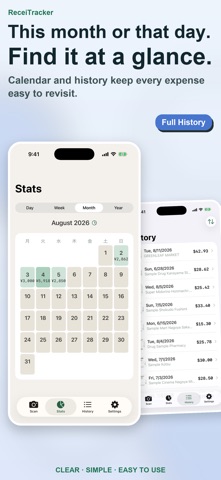
■ See the current picture
Switch between day, week, month, and year views for the current period. Browse entries from the current accounting month. You can set the month's starting day to match your payday or billing cycle.
■ Build a habit
Recording once a day adds another day to your progress. Earlier entries earn a little more progress for the rabbit companion. It is about showing up, not spending more.
■ Browse the past — one-time purchase ("Full History")
A non-consumable In-App Purchase unlocks complete history and past navigation in calendars and charts. It is not a subscription. AI entry and CSV export are not included.
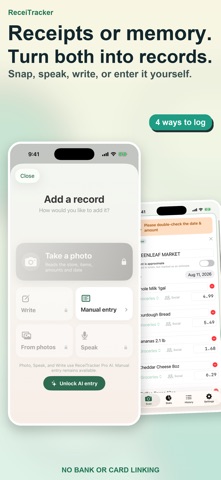
■ Snap, speak, or write — ReceiTracker Pro
The auto-renewing ReceiTracker Pro subscription unlocks three AI entry methods:
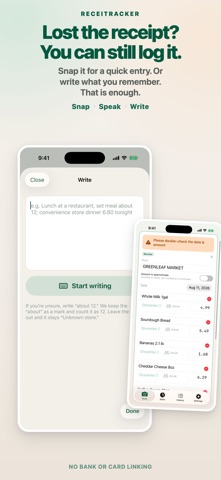
· Snap: read the store, items, amounts, and date from a receipt photo, then sort categories
· Speak: turn a sentence such as "lunch out, about 1000 yen" into an expense entry
· Write: turn what you remember in plain text into structured entries
ReceiTracker Pro also includes complete history, past calendar and chart navigation, and CSV export. Available plans, duration, and pricing are shown on the in-app plan screen.
■ Privacy
There is no bank or card linking, ReceiTracker account, or cloud storage of your expense history. When you use AI entry, the image or text you provide is sent to Google Gemini for processing. Speech is converted to text with Apple's speech recognition; the audio itself is neither transmitted nor stored.
Terms of Use (EULA): https://www.apple.com/legal/internet-services/itunes/dev/stdeula/
Privacy Policy: https://bokchoyworks-stack.github.io/receitracker-legal/