
iPhone Screenshots


Description
Nogmi records, transcribes, and summarizes your meetings, lectures, and interviews.
Recording and transcription happen on your device. Summaries use Apple’s Private Cloud Compute by default, or you can switch to on-device AI in Settings so summaries stay on your device too.
■ New in 2.0: Notes that go with your recording
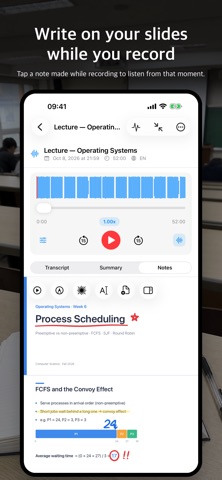
Attach PDF, PPT, or PPTX slides to a recording, then write on them with Apple Pencil or your finger, or type, on iPhone and iPad. Tap anything you wrote while recording to listen from that moment. Search document text and handwriting together. On Mac, write on your notes with a mouse, trackpad, or drawing tablet using pen, pencil, highlighter, eraser, and lasso tools, and hand-drawn shapes are cleaned up automatically. Add and format text boxes, point things out with the laser pointer, and zoom in. Click the time beside your handwriting to jump to that point in the recording.
■ New in 2.0: Study mode
Turn a recording and its notes into multiple-choice questions and flashcards for review.
■ Start with a single tap
Start recording without any setup. The transcript appears live while you record, and when you stop, the full transcript and summary follow. You can also continue an existing recording, then trim each added part separately or restore it to the original.
■ On-device transcription in 100 languages
Gemma 4 and WhisperKit transcribe on your device. The spoken language is detected automatically, even when you switch languages mid-conversation. Transcription keeps working without a network connection.
■ Five AI summary modes
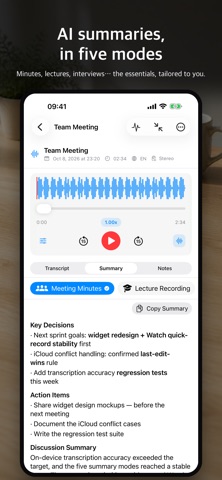
· Meeting minutes — remarks, decisions, and action items
· Lecture — sections by topic, key concepts, and examples
· General — overview, key points, and details
· Brainstorming — ideas listed and grouped
· Interview — Q&A pairs and insights
You can also create your own custom summary format.
■ Choose your summary engine
By default, summaries use Apple’s Private Cloud Compute. If it’s unavailable or the daily limit is reached, on-device AI takes over. Choose Gemma 4 or Apple Intelligence in Settings to keep summaries entirely on your device.
■ Smart Playback
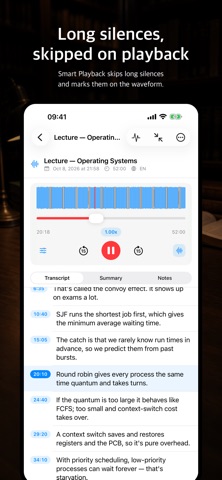
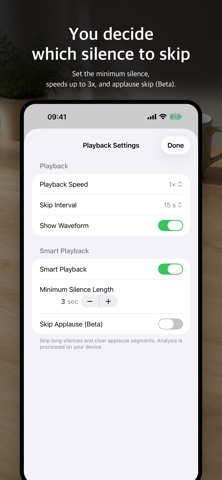
Skip long silences automatically, and skip applause too (beta). Skipped sections are shown on the waveform, and playback speed goes up to 3x.
■ Organize with folders
Group recordings into folders. In iCloud Drive, files are organized into a matching directory for each folder.
■ Standard files, protected data
Audio, subtitles, and text are saved as standard files (m4a, srt, txt, pdf) that open in other apps. Everything else — metadata, summaries, notes, and study data — is stored in Nogmi’s own encrypted file format, usable only in the app.
■ On every device
Your recordings follow you across iPhone, iPad, Mac, and Apple Watch through iCloud. Record quickly from Apple Watch. On iPhone and iPad, share a PDF, PPT, or PPTX from another app to bring it straight into a recording’s notes.
■ No subscription, no account
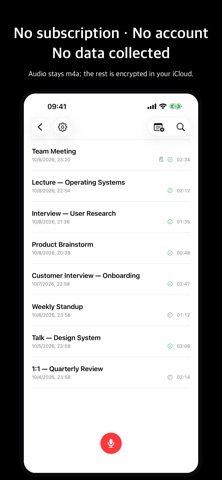
There’s no subscription and no account to create. The developer collects no data.