
iPhone Screenshots


Description
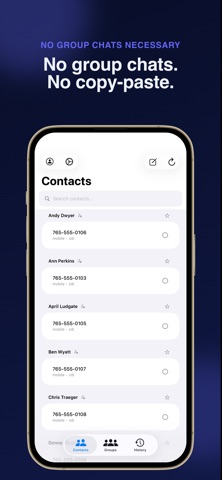
If you need to send the same message to a bunch of people separately but don’t want to copy and paste it every time, and you don’t want to use group chats, MegaMessenger is for you.
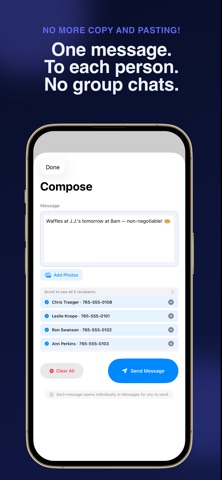
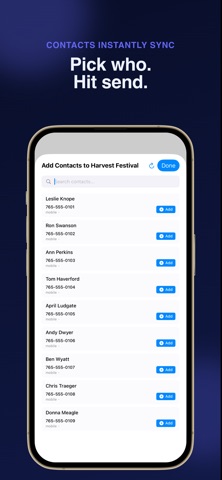
Whether you’re coordinating with your team, reaching out to clients, or keeping family and friends in the loop, MegaMessenger handles the heavy lifting. Select your recipients, write your message once, and send — each person gets their own individual message, never a group chat.
What you can do:
Send to dozens (hundreds!) of contacts with just a few clicks — each receives a personal, individual message. No group chats are needed to send everyone the same message!
Attach photos to your messages
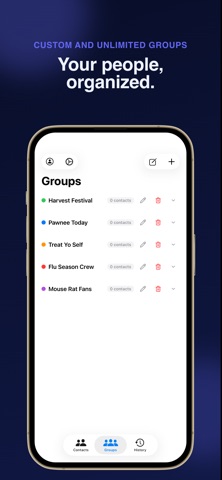
Build named Groups (Family, Work, Book Club) for one-tap recipient selection
Assign keyboard shortcuts (⌘1–⌘9) to your groups for instant access. (macOS and iOS are both included in your purchase)
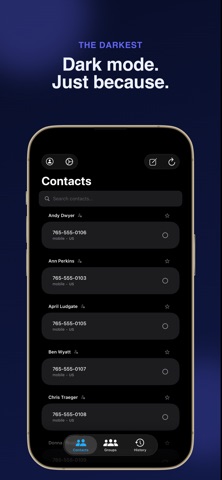
Search and favorite your most-used contacts
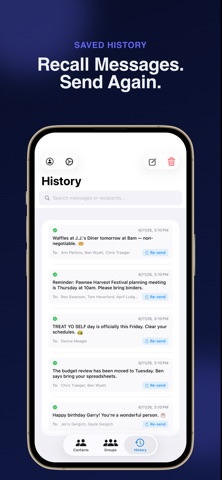
Review your full send history to easily re-send a past message if you missed someone.
Works with iMessage and SMS — automatically falls back to SMS when iMessage isn’t available
How it works:
MegaMessenger uses the Messages app or Google Voice app on your device to send each message. No third-party servers. No account required. Your messages route through Apple’s or Google’s infrastructure, just like sending manually — only faster.
Log in with iCloud:
Sync your Groups and Message History across all of your devices.
Login with Google and the Google Voice app are required for Google Voice to work (iOS only)
Privacy first:
Your contacts and messages never leave your device. MegaMessenger reads your Contacts and controls the Messages app locally — that’s it.
By using MegaMessenger, you agree to Apple’s Standard Licensed Application End User License Agreement (EULA). For more information, please visit https://www.apple.com/legal/internet-services/itunes/dev/stdeula/