
iPhone Screenshots



Description
Pixel art on your Dynamic Island.
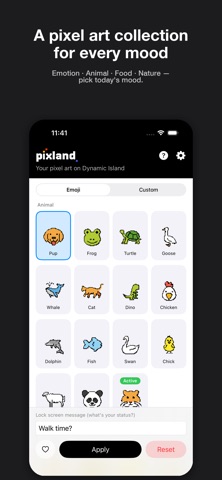
Pin your favorite pixel art on the Dynamic Island and it'll show up on your Lock Screen and Always-On Display too — keeping it close all day long. Add a short one-line message to capture today's mood or intention.
■ Two ways to enjoy pixel art
• Curated emoji pixel art collection — a varied set of pixel art across 7 categories: Emotion · Activity · Animal · Food · Nature · Place · Other. Each comes with a kitschy, playful default message.
• Make your own — pick a photo, draw on the pixel canvas, or generate with AI to save your own pixel art. Up to 10 at a time.
■ Dynamic Island + Lock Screen + AOD
• Whatever pixel art you apply shows up on the Dynamic Island, the Lock Screen banner, and the Always-On Display. Set a one-line message to give every day a different feel.
■ Fine-tuning
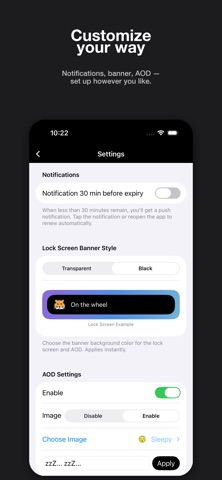
• Push notification 30 minutes before expiry (optional) — get a heads-up before your session ends so you can refresh it naturally.
• Lock screen banner style — choose between transparent and black.
• Separate AOD display — show a different pixel art and message in AOD mode, apart from your main one.
■ Privacy
• Pixland doesn't collect, transmit, or share any user data. Everything — including the photos you register yourself — stays on your device.
■ Requirements
• iOS 17.0 or later.
• The Dynamic Island appears on iPhone 14 Pro and later. On other devices, your pixel art shows up as a lock-screen banner instead.