
iPhone Screenshots





Description
TurboClipboard brings your private clipboard history, saved clips, and templates to iPhone and iPad, with a native app, a custom keyboard, a share sheet, and encrypted iCloud sync.
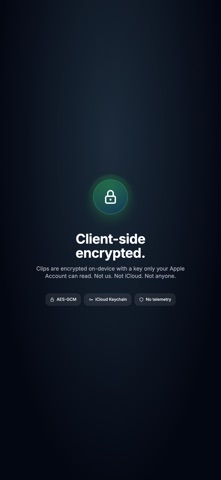
Your clipboard history, saved clips, templates, and settings can follow every Apple device you own. Everything is encrypted on your device before it syncs, so only your devices can read it — not Epistates, and not anyone else.
What you get:
- Browse your full history and library: synced clips, saved snippets, smart folders, and templates.
- Fast fuzzy search, plus search by meaning on supported devices.
- Automatic category tags and summaries, created on your device as you copy.
- Tap to copy, swipe to pin or delete, pull to refresh, and edit saved clips, tags, and pins.
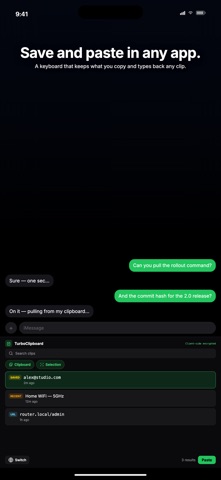
- A custom keyboard: switch to TurboClipboard in any text field, search your clips, and paste without leaving the app you're in.
- Save from any app, right in the keyboard: one tap saves what you just copied, or the text you have selected.
- Fill in template variables right from the keyboard, with a live preview.
- Share text and links into TurboClipboard from Safari, Notes, Mail, and more.
- Shortcuts and Siri actions: save, search, transform, fill templates, and run your saved transform pipelines, including on-device AI.
- Native iPad layout with a sidebar, hardware-keyboard shortcuts, and trackpad pointer support.
- System, Light, and Dark appearance across the app and keyboard.
Privacy:
- Sync is optional. Everything works locally without iCloud.
- Your clips are encrypted on your device, and synced clips stay client-side encrypted.
- The keyboard runs entirely on your device and never logs keystrokes.
- Full Access lets the keyboard open your TurboClipboard library so you can paste and save clips in any app. It never sends clips or keystrokes to Epistates or anyone else.
- Passwords and other sensitive clips are excluded automatically and never sync.
- Files from your Mac always stay on that Mac. Mac images stay on your Mac too, unless you choose to sync a specific one — and those are encrypted just like text.
- No account, no ads, no tracking, no subscription, and no third-party AI.
One purchase covers iPhone, iPad, and Mac, with Family Sharing.