
iPhone Screenshots


Description
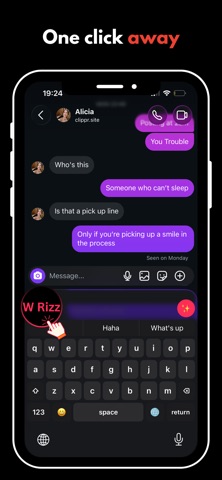
Stop overthinking your texts. W Rizz gives you the perfect reply — right inside the chat.
Works in iMessage, Instagram, Snapchat, Hinge, Tinder, WhatsApp, and more. Use the W Rizz keyboard anywhere you text, or open the app to paste a message or upload a screenshot.
How It Works
1. Enable the Keyboard
Download W Rizz, then add the keyboard in your phone settings (iPhone: Settings → Keyboard → Keyboards · Android: Settings → Languages & input).
2. Copy & Switch
Copy the message you want to reply to, then switch to the W Rizz keyboard in any chat app.
3. Get Perfect Replies
Tap the W Rizz icon on the keyboard. AI reads what you copied and suggests smooth, natural lines in the vibe you want — funny, confident, flirty, or chill.
4. Insert & Send
Tap a reply to drop it straight into the chat. Edit if you want, then hit send.
Prefer the app? Paste their message or upload a chat screenshot on the Home screen — same great replies, no keyboard switch needed.