
iPhone Screenshots

Description
Your iPhone storage is full — and videos are usually the biggest culprit. But which ones? Apple's Photos app doesn't let you sort by file size. This app does — and now it can compress them too.
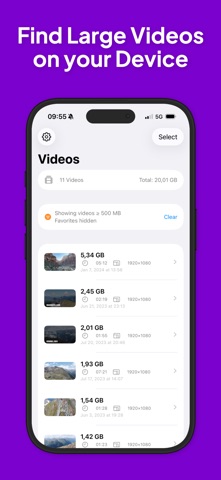
Large Video Tool scans your entire photo library and instantly shows you every video, ranked from largest to smallest. One glance tells you exactly what's eating up your storage. And with the built-in compression feature, you can shrink oversized videos without deleting them.
WHAT YOU CAN DO:
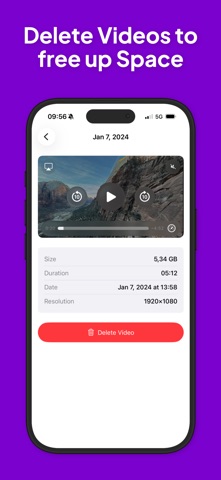
See every video's file size, duration, resolution, and date at a glance
Sort by size, date, or duration — ascending or descending
Set a minimum file size filter to focus on the biggest offenders
Compress videos to reduce their file size while keeping them in your library
Protect your favorite videos from accidentally showing up in the list
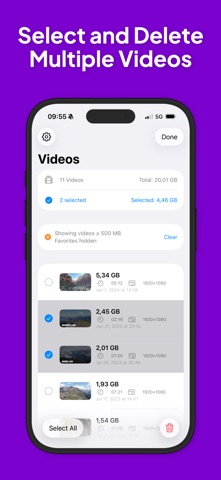
Select and delete multiple videos at once with batch delete
Swipe to quickly remove individual videos
Watch any video before deciding — built-in player included
Pull to refresh after changes to your library
DESIGNED FOR IPHONE AND IPAD The interface adapts beautifully to any screen. On iPad, enjoy a split view with the video list on one side and the player on the other.
PRIVACY FIRST Everything happens on your device. No data is uploaded, no accounts needed, no tracking. Your videos stay yours.
LOCALIZED FOR THE WORLD Available in English, German, French, Spanish, Italian, Portuguese, Russian, Chinese, Japanese, and Korean. All dates, sizes, and units automatically adapt to your device's regional settings.
Reclaim your storage in seconds — not minutes. No more scrolling through thousands of photos trying to guess which video is taking up 2 GB. Just open the app, find the biggest files, compress or delete them, and free up space instantly.