
iPhone Screenshots



Description
Not sure if that text, email, or link is legit? ScamShield gives you a fast second opinion - right on your phone, before you tap, reply, or pay.
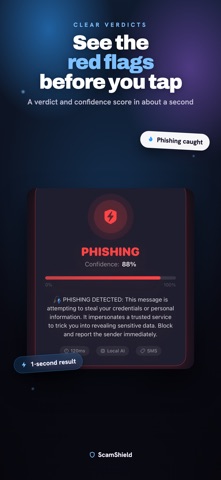
Paste any suspicious message or link (or upload a screenshot) and ScamShield checks it for the classic tricks scammers use: fake urgency, prize and money lures, threats, credential phishing, look-alike links, requests for personal data, and brand impersonation. You get a clear verdict, a confidence score, and a plain-English list of the exact red flags it found - so you can decide what to do.
WHAT YOU CAN CHECK
- SMS and text messages
- Emails and pasted text
- Suspicious links and URLs
- Screenshots (built-in text recognition reads the words for you)
WHAT YOU GET
- A verdict: Safe, Suspicious, Scam, or Phishing
- A confidence score you can see at a glance
- Every warning explained, rated by severity
- A history of your past checks
100% ON YOUR DEVICE
ScamShield runs entirely offline. Your messages are analyzed locally using on-device pattern and language checks and Apple's on-device text recognition. Nothing is uploaded, no account is required, and there is no tracking.
HONEST BY DESIGN
ScamShield is a helper, not a guarantee. It highlights common scam patterns to support your own judgment - it cannot catch every scam and may occasionally flag a safe message. When in doubt, always verify the sender through official channels and never share passwords, codes, or payment details.