
iPhone Screenshots


Description
Turn videos into clean, shareable GIFs in seconds — right on your iPhone.
VideoGIF makes it easy to turn short video clips into animated GIFs without complicated editing tools, accounts, or cloud uploads.
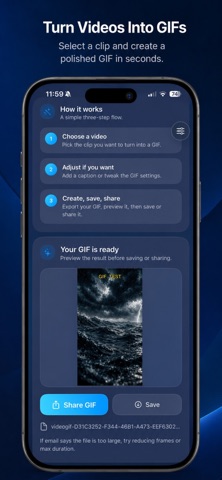
Turn Videos into GIFs
Choose a video from your library and create a smooth animated GIF with just a few taps.
Add a Caption
Make your GIF more expressive with optional text.
* Place captions at the top or bottom
* Choose from multiple caption colors
* Create reaction GIFs, memes, tutorials, and more
Customize Your GIF
Fine-tune the result with simple controls:
* Choose how many frames to include
* Adjust animation speed
* Set the maximum clip duration
* Create smaller GIFs that are easier to share
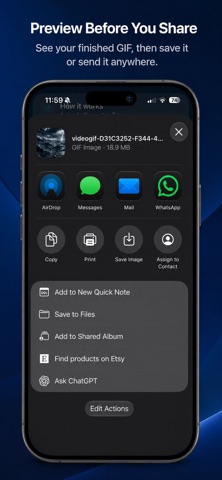
Preview Before You Share
See the finished animated GIF directly in the app before saving or sharing it.
Share Anywhere
Send your GIF through Messages, Mail, AirDrop, social apps, and other compatible apps on your iPhone.
Private by Design
Your video is processed directly on your device. No account is required, and your source video does not need to be uploaded to a remote server for GIF creation.
No Watermark
Create clean GIFs without adding a VideoGIF watermark to your result.
For best results, short clips of around 2–6 seconds usually create smoother, smaller GIFs that are easier to send.
Whether you’re making a reaction, meme, quick tutorial, or capturing a funny moment, VideoGIF gives you a fast and simple way to turn video into GIFs on iPhone.