
iPhone Screenshots


Description
Quixess
A lightning-fast launcher for macOS that keeps your favorite apps, files, folders, and web links just one click or one keystroke away.
Instant Access, Always Ready
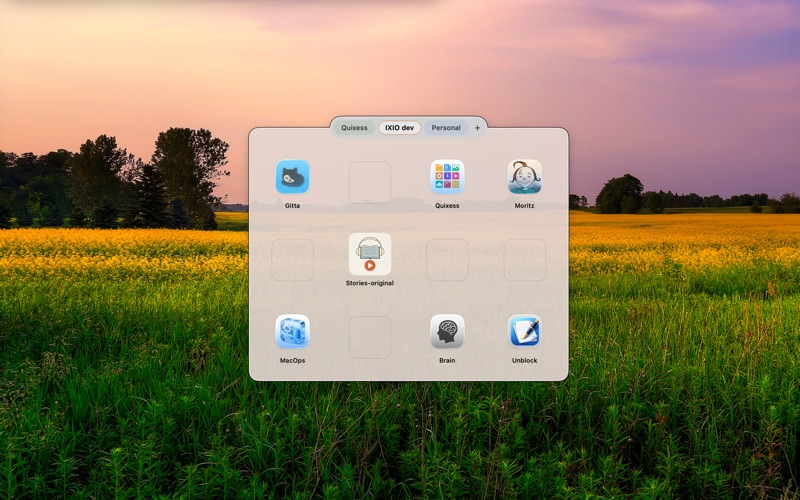
Quixess lives quietly in your menu bar, ready whenever you need it. Press Ctrl+Escape from anywhere on your Mac to summon the launcher instantly. No need to navigate to Finder or search through folders. Your most-used items are organized in a beautiful grid, waiting for you.
Organize Your Way
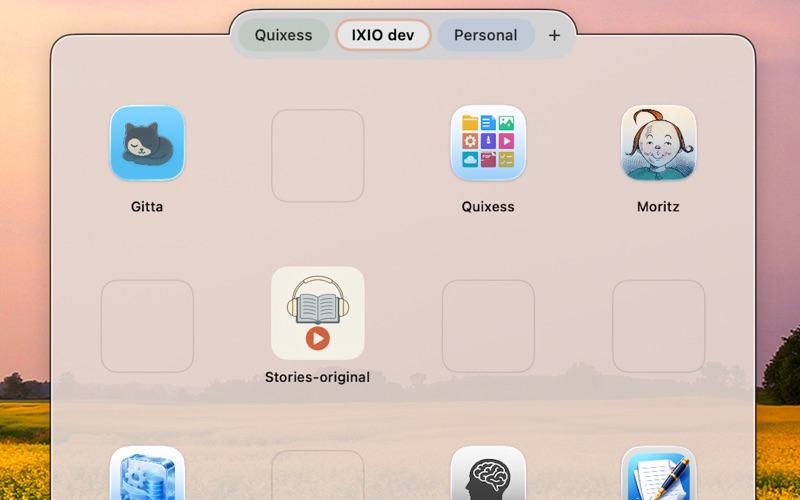
Create multiple pages to group your items however you like. Keep work apps on one page, creative tools on another, and frequently accessed documents on a third. Each page can have its own name and color, making navigation intuitive and visually appealing.
The flexible grid adapts to your needs. Resize the launcher window by dragging its edges, or adjust the number of rows and columns in settings. Choose from small, medium, or large icons to match your preference.
Add Items Effortlessly
Getting items into Quixess is simple:
- Drag files, folders, or applications directly from Finder onto the grid
- Drag web links from your browser's address bar
- Use the Services menu or set up a keyboard shortcut to add selected files instantly
Rearrange items by dragging them to different cells. Remove anything with a simple right-click.
Web Links with Browser Choice
Quixess goes beyond local files. Add your favorite websites and web applications to the grid. When you click a web link, it opens in your preferred browser — choose from your installed browsers in settings.
Keyboard-Driven Workflow
Power users will appreciate the keyboard shortcuts:
- Ctrl+Escape: Toggle the launcher from anywhere
- Escape: Close the launcher
- Option+Arrow Keys: Switch between pages
- A-Z: Jump directly to a page by its first letter
Reliable and Secure
Your launcher configuration is automatically saved and can be backed up or restored at any time. Quixess uses macOS security-scoped bookmarks, ensuring reliable access to your files even after restarts.
Thoughtful Details
- Launch at login option keeps Quixess ready when you start your Mac
- The panel remembers its position and size
- Clean, native macOS design that feels right at home
- Lightweight and fast — no bloat, no distractions
Quixess is designed for people who value efficiency and want their digital workspace organized exactly how they like it. Stop searching. Start launching.