
iPhone Screenshots

Description
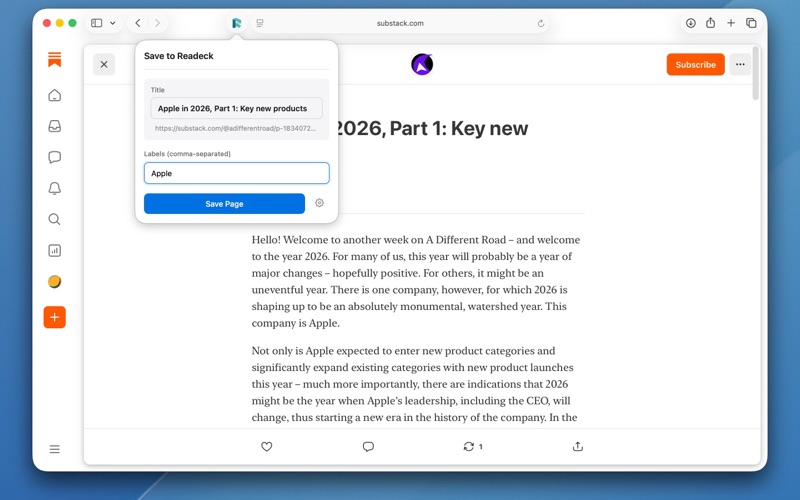
Save to Readeck lets you save web pages to your Readeck instance for reading later, directly from Safari.
Readeck is an open-source, self-hosted bookmark manager and read-it-later service. This extension makes it easy to save articles, blog posts, and web pages to your personal Readeck library with just one click.
Features:
• One-click saving from Safari’s toolbar
• Edit the page title before saving
• Add labels to organize your saved pages
• Save only selected text when you highlight content
• Sends full page content for better article extraction
• Works with any self-hosted Readeck instance
• Simple, clean interface
Requirements:
• A Readeck server (self-hosted or hosted)
• A Readeck API token
To get started:
1. Install and enable the extension in Safari
2. Click the extension icon
3. Enter your Readeck server URL and API token
4. Start saving pages!
Note: This is a third-party extension and is not affiliated with the official Readeck project.