
iPhone Screenshots


Description
Check your WiFi coverage before you buy.
Setting up a home office? Installing a smart thermostat in the garage? Adding an EV charger or security cameras? Before you spend money on mesh systems or WiFi extenders, find out if you actually need them.
Pinpoint shows you exactly where your WiFi works — and where it doesn't.
How it works:
1. Import your floor plan (photo, screenshot, or image)
2. Walk to each room and click Capture
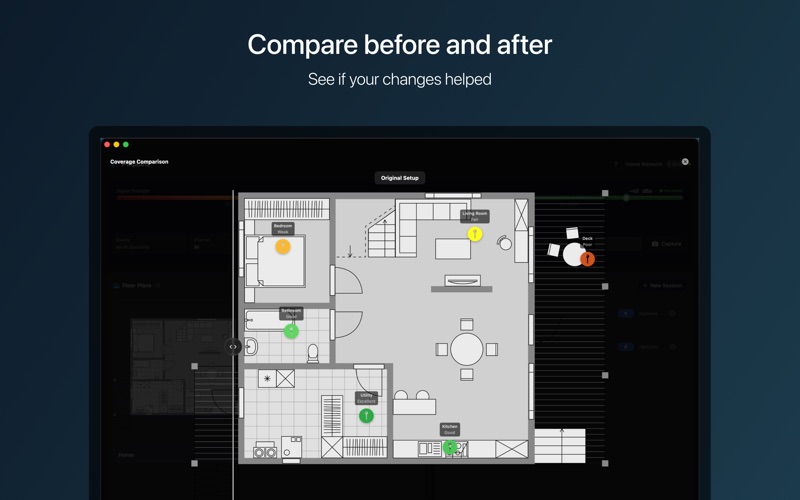
3. See color-coded pins showing signal quality throughout your home
That's it. No walking grids, no data point limits, no 30-minute surveys. Just a clear picture of your coverage in 2 minutes.
What you get:
• Real-time signal monitoring — RSSI, noise, SNR, channel, and link speed at a glance
• Floor plan mapping — drop pins to visualize coverage room-by-room
• Before/after comparison — see what actually improved after moving your router or adding a mesh node
• Menu bar monitor — at-a-glance signal status without opening the app
• Session organization — keep your measurements organized by project or location
• Export options — CSV, JSON, or annotated floor plan PNG
Built for real questions:
"Will my smart home devices work in the basement?"
"Why do my video calls drop in this room?"
"Did that new mesh node actually help?"
"Where should I put my router?"
Privacy-first:
100% on-device. No cloud. No account. No tracking. Your floor plans and measurements never leave your Mac.
Simple pricing:
One-time purchase. No subscriptions. No feature gating. No upsells.