
iPhone Screenshots



Description
Permission Lens - Privacy Monitoring for Mac
Stay Aware of Your Privacy
Permission Lens is a lightweight menu bar app that shows you exactly when your camera and microphone are being used. Know which apps are recording, for how long, and when.
Real-Time Monitoring
Camera Tracking - Instant detection when your camera LED turns on
Microphone Tracking - Know when apps access your microphone
Live Timeline - See every recording session with precise timestamps and durations
Per-App Detection - Track which specific apps are recording
Complete Privacy History
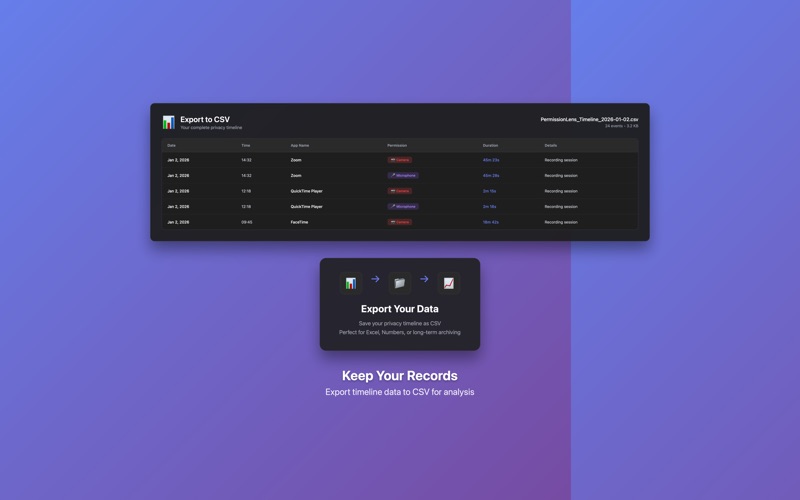
Detailed Timeline - Full history of all recording events
Duration Tracking - See exactly how long each app recorded
Search & Filter - Find specific apps or time periods
Export to CSV - Keep your own records in Excel or Numbers
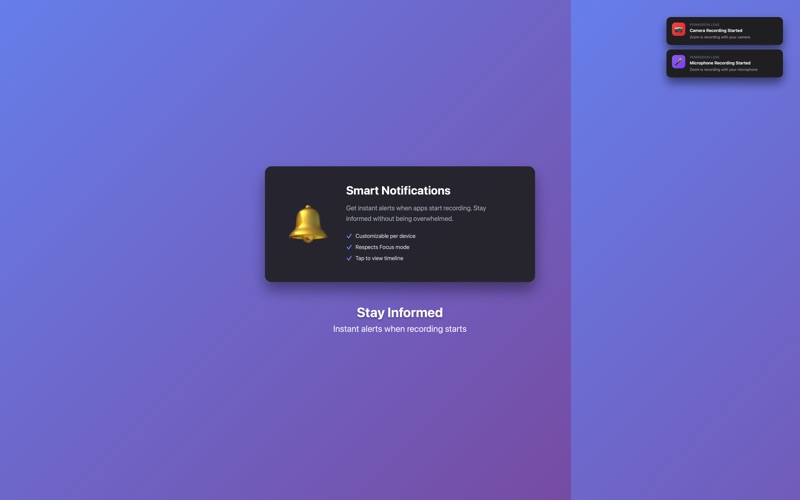
Smart Notifications
Recording Alerts - Get notified when recording starts (customizable)
Tap to View - Tap any notification to open your timeline
Respects Focus Mode - Works with Do Not Disturb settings
Designed for Your Workflow
Menu Bar App - Always accessible, never in the way
Launch at Login - Automatic protection when you start your Mac
Zero Permissions - Works without requesting camera/microphone access
Lightweight - Minimal system resources, maximum privacy awareness
Why Permission Lens?
In an age of video calls, screen recordings, and voice assistants, your camera and microphone are accessed more than ever. Permission Lens gives you complete visibility into when and how your devices are being used.
Whether you're concerned about privacy, need to track recording usage for compliance, or simply want peace of mind, Permission Lens provides the transparency you need.
Perfect For:
Remote workers in frequent video calls
Privacy-conscious Mac users
Content creators tracking recording sessions
Anyone who wants to know when they're being recorded
Key Features at a Glance:
- Real-time camera and microphone monitoring
- Complete timeline with search and filters
- Export data to CSV
- Smart notifications (customizable)
- Launch at login
- Clean, native macOS design
- No permissions required
- App Store sandbox compliant
Take control of your privacy. Know when you're being recorded.