
iPhone Screenshots

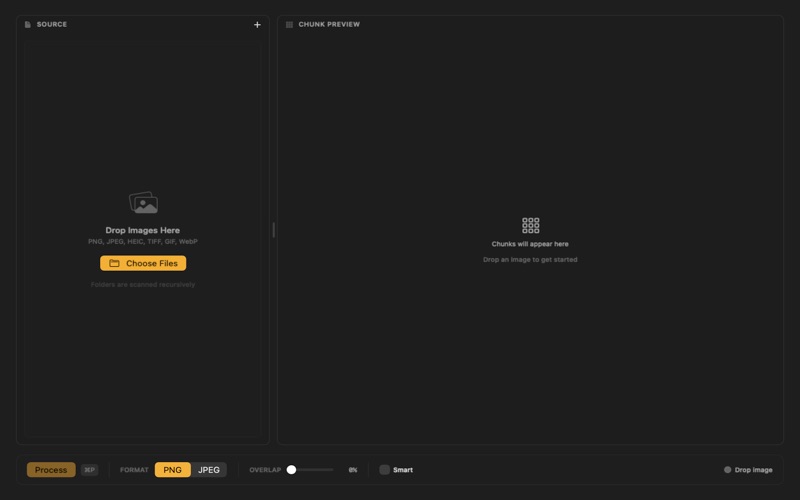

Description
ImageChunker intelligently splits tall images into digestible sequential squares, perfect for social media, presentations, and more.
KEY FEATURES
- Smart Chunking: Automatically detects optimal split points to avoid cutting through important content
- Batch Processing: Process multiple images at once with our efficient batch queue
- Finder Integration: Right-click any image in Finder to chunk it instantly
- GPU Acceleration: Lightning-fast processing using Metal for large images
- Multiple Export Formats: Save as PNG, JPEG, HEIC, or TIFF with quality controls
- PDF Contact Sheets: Generate professional contact sheets of your chunks
- Customizable Overlap: Set overlap percentages to ensure smooth transitions
- Preset Configurations: Save and reuse your favorite settings
- iCloud Export: Optionally save processed images directly to iCloud Drive
PERFECT FOR
- Social media carousel posts
- Long screenshots and infographics
- Vertical artwork and comics
- Web design assets
- Document digitization
PRIVACY FOCUSED
All processing happens locally on your Mac. Your images never leave your device.
BUILT FOR MAC
Native SwiftUI interface with full support for:
- Dark Mode
- Comprehensive keyboard shortcuts
- Multiple displays
- Touch Bar (on supported Macs)
FULLY ACCESSIBLE
ImageChunker is designed for everyone:
- VoiceOver: Full screen reader support with descriptive labels
- Voice Control: Control the app entirely with voice commands
- Reduced Motion: Respects your animation preferences
- High Contrast: Enhanced visibility when enabled
- Color Independence: Status indicators use icons, not just colors
ImageChunker respects your workflow and integrates seamlessly with macOS.