
iPhone Screenshots


Description
Timesflow is a native productivity tracker that automatically records app usage and away-from-desktop sessions, giving you instant clarity on where every minute goes. No timers, no manual logging—everything stays safely in your iCloud account.
==Automatic capture, effortless focus==
【Smart tracking】Foreground apps, away time, and category labels are logged instantly
【Context switching】Every app switch becomes a new entry with accurate duration
【Away detection】Keyboard/mouse inactivity triggers “Away from desktop” sessions automatically
==Today overview at a glance==
【Top apps】See which apps and categories consumed today’s focus time
【Away time】Dedicated metrics for total away minutes and the latest idle streak
【Category cards】Built-in and custom categories visualize how you spend time across domains
==Stats & insights for long-term trends==
【Rich aggregations】Review usage by day, week, month, or year
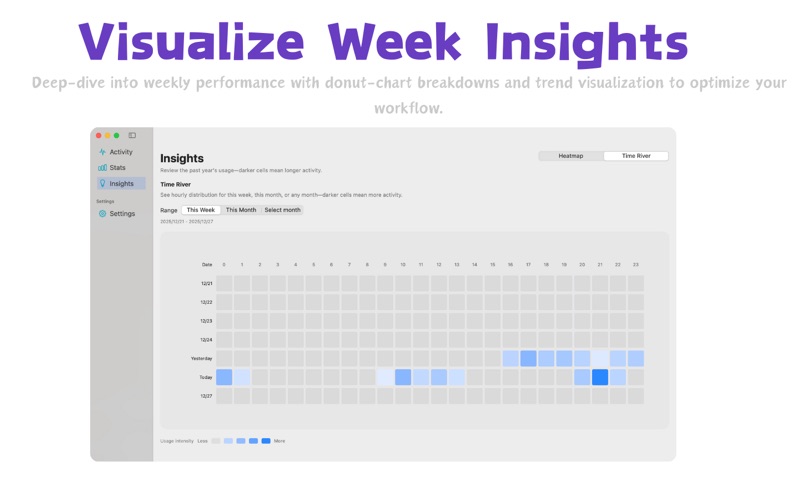
【Visual dashboards】Category donuts, daily averages, and trend charts reveal patterns
【Custom exports】One-click CSV/JSON exports with optional notes and idle entries
==Menu bar + widgets for instant access==
【Menu bar dashboard】Check today’s minutes right in the status bar, open a compact panel with one click
【Desktop widget】Today/week totals sync to a WidgetKit companion for quick glances
【Health reminders】Set your own thresholds; timesflow nudges you when it’s time to take a break
==Deep customization, privacy first==
【Themes & accents】Follow system appearance or choose custom light/dark themes and accent colors
【Category management】Edit built-ins or create your own tags and icons to match your workflow
【On-device privacy】All data lives locally and in your iCloud—never on third-party servers
timesflow helps every user understand digital habits, double down on deep work, and maintain healthier screen routines.