
iPhone Screenshots



Description
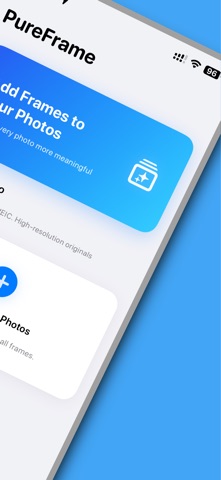
Give your photos a clean finish with PureFrame.
Add photo borders, show the camera settings behind a shot, and create a look you can use again. Pick a photo, compare frame styles, adjust the details, then save or share your result.
FIND YOUR FRAME
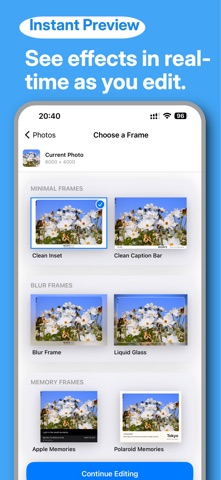
Explore eight styles, from clean white borders and camera-info bars to soft blur, glass effects, instant-photo layouts and magazine-inspired designs. Preview each look with your own photo.
SHOW THE DETAILS BEHIND THE SHOT
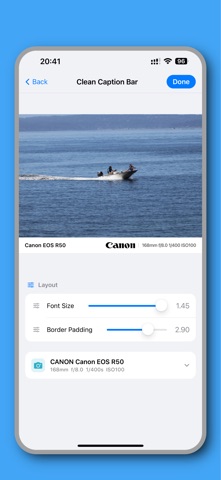
Display available EXIF information, including camera model, focal length, aperture, shutter speed and ISO. Edit supported fields to choose what appears in the frame. Available details depend on the data in the original photo.
MAKE IT YOURS
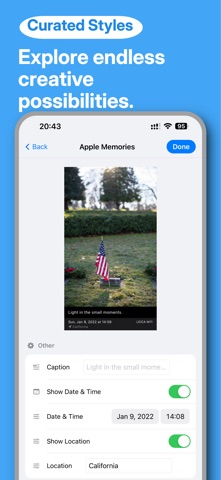
Adjust spacing, rounded corners, shadows and text size using the controls available for each style. Add a caption, date or photographer name to layouts that support them.
KEEP A FAVORITE LOOK
Save your favorite frame settings and apply them to another photo. Build a consistent style without starting from scratch each time.
SAVE AND SHARE
Save your finished image to Photos, share it with another app or copy it to your clipboard.
KEEP IT SIMPLE
No ads. No subscriptions. No account required.
Your finished image is rendered on your device.
Available in English, Simplified Chinese and Arabic.