
iPhone Screenshots




Description
한국어:
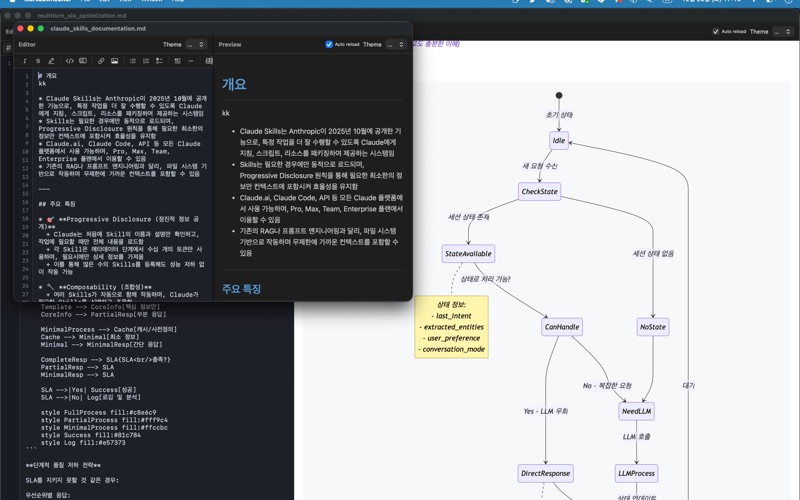
Markdown Editor는 macOS를 위한 깔끔하고 직관적인 마크다운 에디터입니다.
주요 기능:
• 실시간 미리보기 - 마크다운을 작성하면서 바로 결과를 확인
• 탭 인터페이스 - 여러 문서를 하나의 윈도우에서 관리
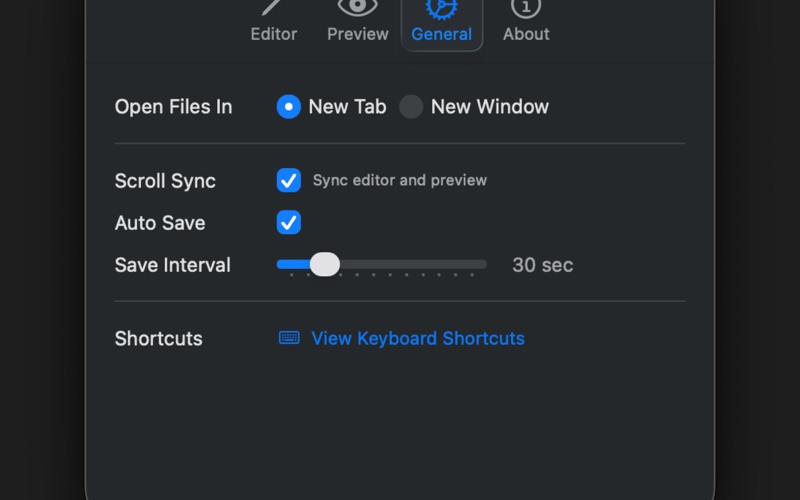
• 스크롤 동기화 - 에디터와 미리보기가 함께 스크롤
• 다크/라이트 테마 - 에디터와 미리보기 각각 테마 설정 가능
• 서식 툴바 - 볼드, 이탤릭, 링크, 목록 등 빠른 서식 적용
• 자동 저장 - 작업 내용을 자동으로 저장
• 키보드 단축키 - 효율적인 문서 작성을 위한 다양한 단축키 지원
심플하면서도 필요한 기능을 모두 갖춘 마크다운 에디터로 생산성을 높여보세요.
English:
Markdown Editor is a clean and intuitive markdown editor for macOS.
Key Features:
• Live Preview - See the result as you write markdown
• Tab Interface - Manage multiple documents in a single window
• Scroll Sync - Editor and preview scroll together
• Dark/Light Themes - Set themes independently for editor and preview
• Formatting Toolbar - Quick formatting for bold, italic, links, lists, and more
• Auto Save - Automatically saves your work
• Keyboard Shortcuts - Various shortcuts for efficient document editing
Boost your productivity with a simple yet fully-featured markdown editor.