
iPhone Screenshots
Description
Reword — write better messages instantly
Reword is a lightweight macOS menu bar app that helps you rewrite messages or craft smart replies with the perfect tone — without leaving your workflow.
Whether you’re replying to a quick chat, following up on a payment, or polishing a professional email, Reword gets it done in seconds.
What you can do with Reword:
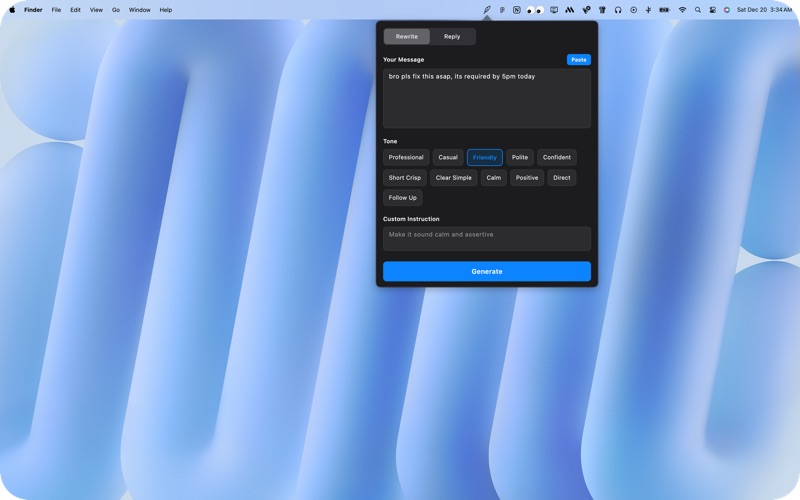
Rewrite Mode
Paste your message
Choose a tone
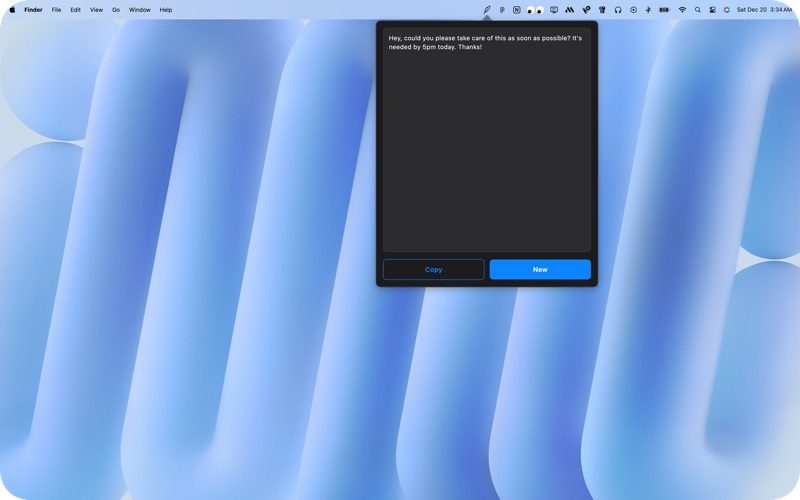
Instantly get a cleaner, better version
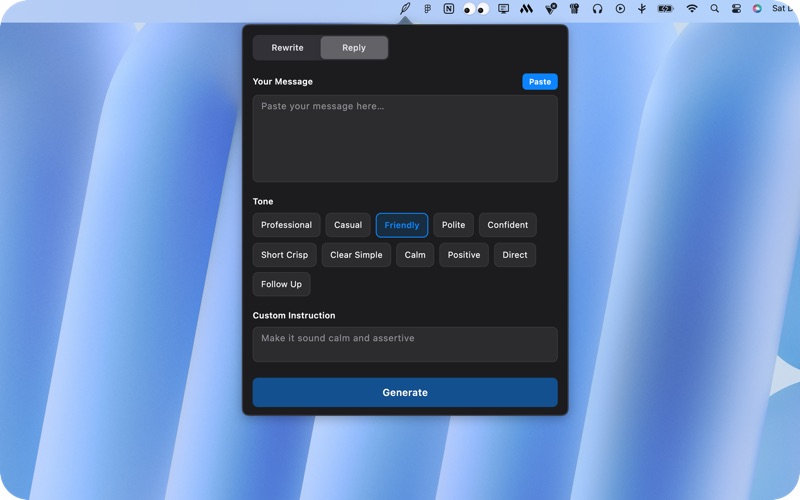
Reply Mode
Paste an incoming message
Generate a natural, human reply
Match the tone you want — professional, polite, friendly, or direct
Built-in Tone Presets
Reword includes carefully designed tones for real conversations:
Professional
Casual
Friendly
Polite
Confident
Short & Crisp
Clear & Simple
Calm
Positive
Direct
Follow-up
Each tone is optimized to preserve meaning while improving clarity and delivery.
Designed for focus
Lives quietly in your Mac menu bar
No browser tabs
No context switching
Clean, Apple-style UI
Fast and distraction-free
Open Reword, paste text, choose a tone, and move on.
Privacy-first by design
No sign-up required
Messages are processed only to generate results
No long-term storage of your text
Built with privacy and simplicity in mind
Free forever (with fair limits)
Reword is free to use with a daily request limit.
Power users can unlock additional features and higher limits with premium options.
Perfect for
Work chats & emails
Client follow-ups
Professional communication
Quick replies
Everyday messaging
Rewrite less. Say more.
Reword your messages — instantly.