
iPhone Screenshots



Description
ShelfDrop is your temporary file staging area. Moving files between folders in macOS shouldn't be a hassle. With ShelfDrop, simply shake your cursor to reveal a floating shelf. Drop your files, navigate to your destination, and drag them out.
Key Features
Shake to Open
Just shake your mouse - the shelf appears instantly! No need to minimize windows.
Menu Bar Drop Zone
Drop files directly onto the menu bar icon to add them to your shelf. Drag files from the menu to use them anywhere!
Quick Look Preview
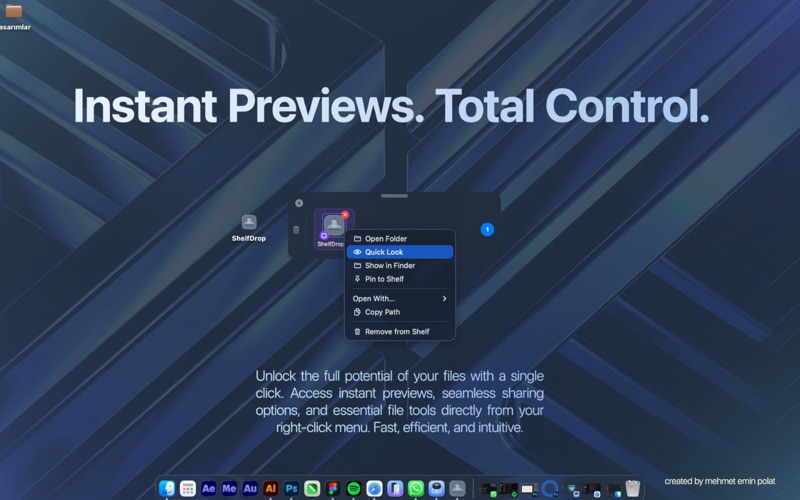
Right-click any file and select "Quick Look" for instant preview without opening.
Pin Important Files
Right-click to pin frequently used files. Pinned items stay on your shelf forever.
Context Menu Power
- Open with any application
- Show in Finder
- Copy file path
- Quick Look preview
- Pin/Unpin items
Keyboard Shortcuts
- Option-Shift-D - Toggle shelf
- Option-Shift-C - Clear all files
- Option-Shift-R - Reset position
- Option-Shift-S - Open settings
Customizable Size
Choose from Small, Medium, or Large shelf sizes to fit your workflow.
Smart File Type Recognition
Beautiful color-coded badges for every file type:
- Images, Videos, Audio files
- Documents, PDFs, Archives
- Code files, Folders, Applications
Always Accessible
- Floating panel stays on top
- Auto-hide when empty
- Works across all spaces
Perfect For:
- Moving multiple files to different destinations
- Collecting files before uploading
- Keeping frequently used files handy
- Anyone who works with files daily
ShelfDrop is lightweight, native, and designed specifically for macOS.