
Menu Mindmap
Capture ideas and organize them instantly
Oyvind Snekkestad
iPhone Screenshots


Description
Capture and organize ideas instantly via Mac bar. Store mind maps locally on your device. Create colorful nodes with icons, gradients, and notes. Use 200 ready-to-use icons for tagging. Build and modify mind maps without subscriptions or ads.
Capture and organize ideas instantly from your Mac menu bar. Menu Mindmap keeps everything local on your machine, with a simple one-time purchase—no subscriptions, no ads, no tracking.
Features:
- One-time purchase, no subscription ever
- Local storage on your Mac; your maps stay on your device
- Quick-access menu bar app for instant idea capture
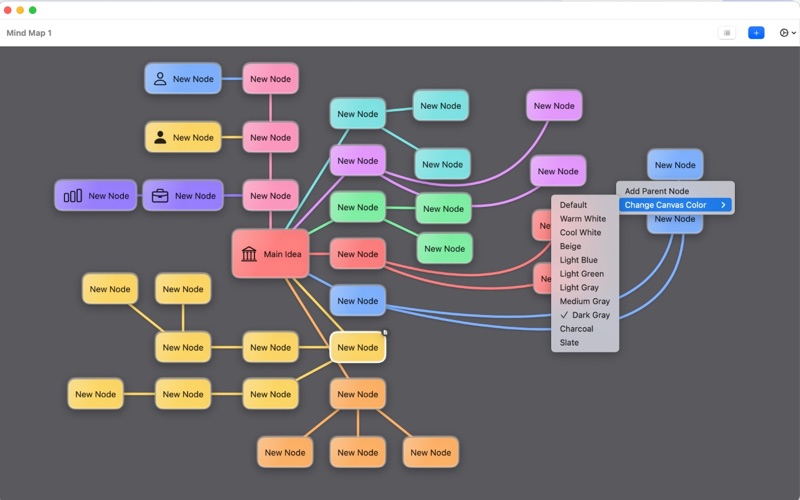
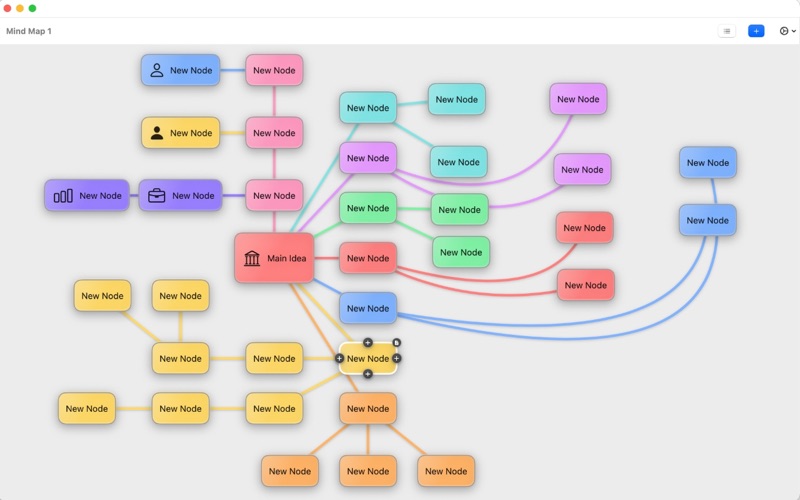
- Build colorful nodes with gradients, icons, and notes (notes on every node)
- 200 ready-to-use icons for rapid visual tagging
- Change mind map canvas colors to match your style or project
- Easily bend connection lines to route around other nodes
- Zoom, pan, and reorder tabs for multiple maps
- Context menus for fast actions (add nodes, parents, colors, icons)
- Keyboard-friendly shortcuts to stay in flow
- Clean, minimal design that’s easy to learn
Why it’s different:
- Always-on menu bar access keeps you in your workflow
- No logins, no cloud dependency—ideal for private or offline work
- Pay once, own it; updates without recurring fees
Who it’s for:
- Quick planners, product thinkers, writers, students, and anyone who wants a fast, visual way to organize ideas without subscription clutter.